Comparing VDR Capabilities for IPOs: Basic Search vs. AI-Powered Document Intelligence (Clause Recognition & Smart Redaction)
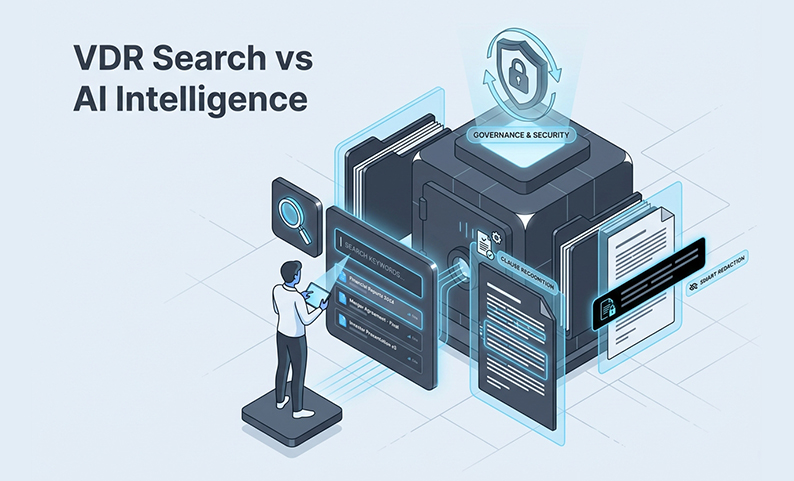
Basic search won’t save you here. A keyword search bar finds filenames. It doesn’t understand meaning, catch inconsistent clause headings, or flag sensitive data you didn’t know to look for.
This article gives you a practical framework for comparing basic search VDRs against those with AI-powered document intelligence. We’ll focus on clause recognition and smart redaction. You’ll get a 6-point checklist to use in demos, a workable implementation model, and the common failure modes to prevent.
What Does “Basic Search” in a VDR Actually Do—and Where Does It Break in IPO Diligence?
Think of basic VDR search as simple keyword matching for filenames and document text. It’s combined with whatever manual folder navigation and tagging system your team put in place.
It works for finding a specific agreement you named correctly or navigating a well-organized folder tree.
But it breaks down quickly during IPO diligence.
- Scanned PDFs often aren’t processed with OCR, so search finds nothing inside them.
- Inconsistent headings (“Termination,” “Term and Termination”) mean you miss clauses unless you search every possible variation.
- Concept-based questions, like “show me all agreements with revenue thresholds,” return nothing useful.
- Misfiled documents are effectively invisible.
The downstream consequences are real. You end up with more associate hours chasing gaps, slower responses to bankers and bidders, and a genuine risk of missing a sensitive disclosure.
What Is AI-Powered Document Intelligence in a VDR—and What Capabilities Actually Matter for IPOs?
There’s a big difference between “AI” as a marketing buzzword and actual document intelligence.
For an IPO, you need automation that understands document structure and meaning, and it must operate inside your security boundaries.
For an IPO, focus on these three key capabilities:
- Smart indexing + automated categorization: Reduces room setup time by automatically organizing documents as they’re ingested, instead of after your team spends days doing it by hand.
- Clause recognition: Identifies critical provisions (like termination rights, indemnity, and change-of-control) across thousands of documents, even when headings are inconsistent.
- AI-assisted redaction: Detects sensitive data across large document sets and proposes redactions, reducing the manual burden that creates leak risk.
Platforms like DCirrus VDR include these as testable capabilities, not just feature bullets. The key word is testable. Any platform claiming these features should have to prove them on your documents before you sign anything. A non-negotiable point: all AI features must operate within your existing governance structure, with permissions and audit trails fully intact.
How Should You Compare Capabilities? Use This 6-Point Checklist (Basic Search vs. AI Intelligence)
Use this checklist during every demo. And make sure you bring a sample of your actual documents, including the messy scanned ones. A vendor’s performance on perfect, pre-formatted files tells you almost nothing.
1. Ingestion & Organization
- What to look for: Automated categorization on upload versus manual folder setup.
- Demo test: Upload a mixed set of 50+ files (including scanned PDFs) and see how the platform organizes them. Does it reduce your setup work?
2. Search Quality
- What to look for: Full-text, metadata, and concept search, not just keyword matching.
- Demo test: Ask the vendor to find “all customer contracts with change-of-control type language” without using that exact phrase.
3. Clause Recognition Depth
- What to look for: The ability to find specific clauses across different document formats and inconsistent headings.
- Demo test: Run clause recognition for termination and indemnity provisions. How many did it catch? How many did it miss?
4. Redaction Workflow
- What to look for: AI-assisted detection of sensitive content with a clear review and approval flow.
- Demo test: Run AI redaction across a PDF, a Word doc, and a spreadsheet. Check the export handling and version history.
5. Security Controls Around Access
- What to look for: Granular permissions, view-only access, MFA, and IP-level restrictions.
- Demo test: Set up two bidder groups with different access. Try to access Group B’s materials as Group A. Verify the isolation is complete.
6. Audit Defensibility
- What to look for: Comprehensive audit trails covering all views, downloads, and redaction events.
- Demo test: Export a full audit report. Is it readable, timestamped, and actionable enough to hand to a regulator?
What’s the “Minimum Bar” for an IPO-Ready VDR vs. “Nice-to-Have”?
Minimum bar (non-negotiable): Granular permissions, a robust audit trail, dynamic watermarking, DRM controls (like disabling print/copy), and reliable search across scanned documents.
Nice-to-have (if proven in demo): Clause recognition and AI-powered redaction. These features become must-haves once they are verified. But you have to verify them first.
How Do Clause Recognition and Smart Redaction Reduce Risk and Time in Practice?
Clause recognition is most valuable when you’re reviewing large, mixed document sets under pressure. Instead of an associate reading every agreement, the system surfaces the key provisions. That’s hours recovered on every deal. It also means fewer clauses missed because someone was working late.
AI-powered redaction targets the manual process where most leaks happen. Manual redaction is slow and error-prone. An AI-assisted tool proposes where to redact across thousands of documents, catching PII and confidential terms you might have missed.
But the human review gate is not optional. AI proposes, associates validate, and partners approve the sensitive calls. Skipping this step just introduces a different kind of risk.
DCirrus VDR pairs these AI tools with the security you need: granular access controls, DRM, and comprehensive audit trails. This prevents AI outputs from creating gaps in your security perimeter.
What Implementation Model Works in a Law-Firm-Led IPO Data Room?
The most common reason AI VDR adoption fails isn’t the technology. It’s the absence of a clear operating model before the room goes live.
Assign these roles explicitly:
- Partner: Approves policy on sensitive redactions and access decisions.
- Senior Associate: Owns the permission structure and manages bidder groups.
- Junior team: Handles uploads, version tagging, and the redaction review queue.
Standardize your permission templates before you start. Build profiles for bidders, internal teams, and advisors with view-only as the default setting. And use the VDR’s built-in Q&A module. Parallel email threads kill auditability and create version chaos. Keep all communication inside the room.
What Are the Most Common Ways “AI VDR” Rollouts Go Wrong—and How Do You Prevent Them?
Most failures are operational, and they are preventable.
- Buying on label, not proof: Don’t select a platform based on “AI” in the feature list. Fix: Run the 6-point checklist on your own documents before you sign.
- No permission architecture upfront: Don’t launch the room and assign permissions reactively. Fix: Build permission templates before uploading Document 1.
- Redaction without review gates: Never let AI redaction run without human validation. Fix: Define the AI-proposes, associate-validates, partner-approves chain explicitly.
- Version control is ignored: Teams work off outdated drafts because notifications weren’t set up. Fix: Set automated notifications and enforce version naming conventions from day one.
Summary and Next Steps: What’s the Single Best Way to Choose Between Basic Search and AI Document Intelligence?
Basic search is table stakes. The real question is whether the platform delivers clause recognition, AI-powered redaction, and automated categorization under controls that hold up.
Here’s your single priority action: schedule a demo. Insist that the vendor runs your sample dataset (including scanned PDFs) through the 6-point checklist and exports the audit log at the end. If a platform can’t prove its capabilities on your documents, it’s not ready for your IPO.
FAQ
What’s the difference between keyword search and clause recognition? Keyword search finds an exact term. Clause recognition understands document structure and finds provisions by meaning. It will find a “right to terminate” clause even if the heading says “Duration of Agreement.” For IPO diligence, that distinction is enormous.
Does AI-powered redaction remove the need for human review? No, and it shouldn’t. AI-powered redaction accelerates detection, but associates must validate every proposal. Skipping human review doesn’t save time. It shifts the risk to a place you can’t see.
Can AI document intelligence work on scanned PDFs? It depends on the platform’s OCR quality. This is exactly what your demo test should verify. Ask the vendor to run clause recognition and redaction on your actual scanned documents, not just their clean digital samples.
What VDR features matter most for DPDP Act 2023 and cross-border data handling? Data localization (the ability to choose Indian server locations), granular access controls, comprehensive audit trails, and DRM controls are the core requirements. DCirrus VDR supports data localization and compliance with India’s Digital Personal Data Protection Act 2023, along with ISO 27001-certified infrastructure.
How do I evaluate whether a VDR’s audit trail is “defensible”? Export a full audit report during your demo and ask yourself: Does it show who accessed which document, when, and what they did? Is it timestamped and exportable in a format you could hand to a regulator without reformatting? If the answer is no, keep looking.
Want to see clause recognition and AI-assisted redaction work on your IPO documents—without compromising control?
DCirrus VDR combines AI-powered document intelligence (smart indexing, clause recognition, and AI-powered redaction) with enterprise-grade DRM, dynamic watermarking, and granular permissions. Bring your sample documents and we’ll run through the 6-point checklist together, so you can evaluate performance on your actual file types before making any commitment.
Latest Posts