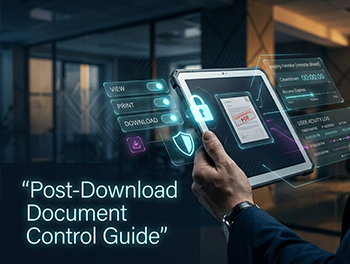
What Is VDR Digital Rights Management (DRM)? A Lawyer’s Guide to Post-Download Document Control
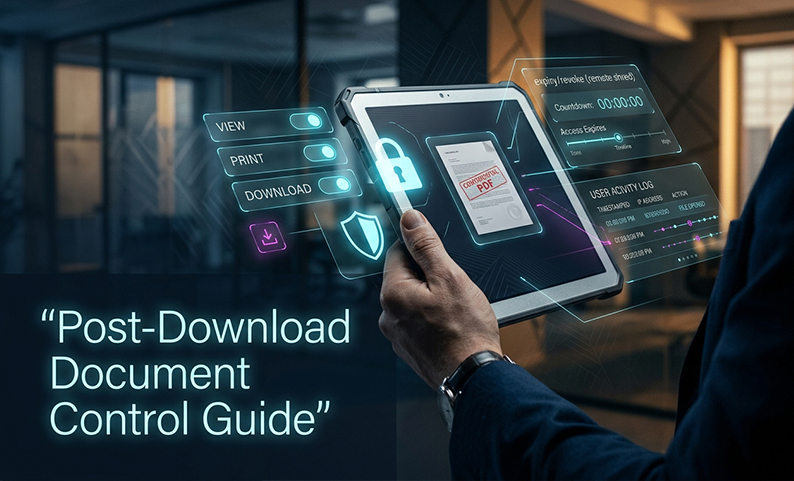
You know the moment. A confidential PDF leaves the room, lands on a bidder’s laptop, and is now outside your control. If that file is forwarded, printed, or screenshot, your team may not even know until the damage is done.
That is the problem digital rights management in a VDR is meant to solve. Not the consumer media version, but enterprise document control that stays with the file after download.
In this guide, you will get a practical framework for using DRM, remote shred, and related access controls to reduce leak risk, improve auditability, and keep deal documents under control after they leave the data room.
Frame the Solution: What VDR DRM Actually Covers
In a legal transaction, a VDR is not just a file cabinet. It is a controlled workspace for sharing, reviewing, and auditing confidential deal documents across clients, bidders, advisors, and counterparties.
VDR DRM adds persistent controls to that workspace. It is different from simple folder permissions because the protection follows the document itself, including after download.
That matters because folder-level security alone stops working the moment a file is copied out, forwarded, or stored on a local drive. With true enterprise DRM, you are managing what a recipient can do with the document, not just whether they can see a folder.
The practical goal is simple: reduce the chance of a leak, make misuse traceable, and keep deal workflow moving without turning every permission change into a manual fire drill.
1. Use remote shred as your last line of control
Remote shred is the ability to revoke access to a downloaded file after it has already left the VDR. If the recipient tries to open it later, the license check fails and the file no longer opens.
For lawyers, this is the difference between “we hope they delete it” and “we can make it stop working.”
Use it to:
- Pull back a file after a permission mistake
- Revoke access when a bidder drops out
- Shut down exposure after a device loss or credential compromise
- Limit risk on highly sensitive drafts and clean team materials
A useful rule: if a document would create real harm outside the room, it should not rely on trust alone.
2. Apply dynamic watermarks to make leaks traceable
Watermarks are not access control. They are attribution.
A strong VDR watermark should carry recipient-specific details such as name, email or login, IP address, timestamp, and document ID. That makes a leaked document easier to trace back to the viewer.
Use dynamic watermarks on:
- Every page of sensitive documents
- Downloaded or printed copies
- High-risk materials shared with multiple bidder groups
- Files used in contentious or regulated transactions
This is where data leak prevention becomes more than a slogan. Watermarks do not stop every leak, but they change behavior and give you evidence if something escapes the room.
3. Treat screen capture blocking as deterrence, not certainty
Screen-capture blocking can prevent or detect attempts to capture content through OS tools, third-party grabbers, or screen recording software. In some VDRs, the viewer may black out when a capture attempt is made.
That helps, but it is not absolute. A phone camera pointed at the screen still works. So do some secondary-monitor and bypass scenarios.
Use it as part of a layered control set:
- Block common screenshot tools where possible
- Detect known screen recorders
- Pair blocking with visible watermarking
- Treat it as deterrence and forensic support, not a guarantee
For a senior deal lawyer, the point is not perfection. It is reducing easy exfiltration paths while preserving review speed.
4. Build granular access controls around deal reality
The best access controls are not broad. They are specific to the deal structure.
You want permissions at the folder and file level, and sometimes tighter when the platform supports it. That lets you separate bidder groups, advisors, and internal teams without relying on messy workarounds.
Set up:
- Bidder, advisor, internal, and observer groups
- Explicit permissions by role
- Default-deny folder design
- Separate treatment for clean team or confidential workstreams
- Device and IP restrictions where the platform supports them
This is where many matters go wrong. Permissions sprawl is usually a process failure, not a technology failure. If the room is inherited from the last deal without cleanup, the risk stays alive in the background.
5. Default to view-only and restrict download by exception
A strong VDR should let you separate viewing from downloading. That matters because download is where control starts to weaken.
Where possible, keep sensitive documents in a view-only state and require explicit permission for download, print, or copy. If download is allowed, pair it with expiry and revocation controls.
Use this pattern:
- View-only for most bidder access
- Download only when there is a clear reason
- Watermarked downloads by default
- Expiration dates on downloaded files
- Document-level controls for especially sensitive items
This is one of the most practical ways to reduce data leak prevention risk without slowing the entire process down.
6. Time-box access so permissions expire with the deal
Access should not live longer than the work that requires it.
Time-bound permissions are useful for active diligence, post-signing cleanup, and closing processes. They also reduce the chance that former bidders, advisors, or internal users keep access longer than intended.
Set policies for:
- Deal-phase access windows
- Automatic expiration after close or failed process
- Short-lived access for outside reviewers
- Manual review before extending access
If you do nothing else, build an offboarding habit. A leaver who still has access is still a risk, even if the platform itself is secure.
7. Rely on audit trails that can stand up later
In a transaction, the audit log is not a nice-to-have. It is evidence.
You want a complete, time-stamped record of login activity, views, downloads, print attempts, permission changes, Q&A activity, and watermark triggers. More importantly, the log needs integrity protection so it cannot be quietly rewritten later.
Good audit discipline helps with:
- Post-closing disputes
- Regulatory inquiry
- Breach analysis
- Client reporting
- Internal accountability
If a platform cannot clearly show who saw what and when, it is not giving you the level of control this work demands.
8. Use AI-assisted redaction before the file ever enters the room
Manual redaction is slow and error-prone. In deal work, it is also where a lot of billable waste hides.
AI-assisted redaction can identify PII, signatures, privileged content, and defined terms faster than a manual pass. But it still needs human review before release.
Use it to:
- Strip sensitive content before first bidder view
- Redact at scale across long document sets
- Reduce review burden on associates
- Clean scanned PDFs and contract sets more efficiently
The legal standard here is not “the machine did it.” It is “the machine helped us get to a safer draft faster.”
9. Pin data by region when the deal crosses borders
Cross-border deals create a second layer of risk: where the data lives.
A VDR with data residency options lets you store materials in a specific region to support local requirements. That matters when you are dealing with GDPR-sensitive matters, India DPDP alignment, or other regional data protection laws.
Check for:
- Region-level storage choices
- Data center specifics, not just marketing claims
- Cross-border transfer handling
- Alignment with the deal team’s regulatory reality
For lawyers, this is not an IT detail. It is part of controlling disclosure risk across jurisdictions.
10. Lock identity down with SSO, MFA, and device binding
Most access problems start with identity, not encryption.
A strong VDR should support SSO, MFA, SCIM-based provisioning where available, and device-level controls. That cuts friction for legitimate users while reducing the chance that shared credentials or stale accounts create exposure.
At minimum, check for:
- SSO for internal users
- MFA for internal and external users
- Device approval or binding
- IP allow-listing for sensitive work
- Fast deprovisioning when a user leaves the matter
This is the difference between a room that is merely authenticated and one that is actually governed.
Who Owns What in a Deal Team?
A VDR only works well when responsibilities are clear. Otherwise, permissions drift and everyone assumes someone else handled the cleanup.
Use this simple split:
- Deal captain or partner
- Approves the access model
- Defines bidder groups and clean teams
- Signs off on release and revocation rules
- Approves the access model
- Defines bidder groups and clean teams
- Signs off on release and revocation rules
- Senior associate
- Checks folder structure
- Reviews permission exceptions
- Oversees redaction and document readiness
- VDR administrator
- Implements roles, watermarks, expiry, and revocation
- Maintains audit exports
- Processes user onboarding and offboarding
- IT or security
- Confirms identity controls, device rules, and region settings
- Supports incident response and retention handling
If the platform makes every change feel like a custom project, the process will slip. Good governance should feel repeatable.
Common Failure Modes to Catch Early
The biggest failures are usually boring, not sophisticated.
Watch for:
- Permission sprawl from reused deal templates
- Parent-folder inheritance overriding a “view-only” intent
- Residual metadata in Office and PDF files
- Overconfidence in watermarking or screenshot blocking
- AI redaction used without human review
- Retention confusion after close
- Unmanaged mobile access
- Former users still present in group memberships
These are not edge cases. They are the usual reasons a secure room stops being secure.
Why VDR DRM Belongs in Your Firm’s Broader Information Governance
If you treat VDR security as a one-off deal task, you will keep rebuilding the same controls from scratch.
The better approach is to make it part of broader information governance: matter management, conflicts, ethical walls, client reporting, and regulator readiness. That way, the same security discipline carries across transactions instead of living only in the VDR.
That is also why digital rights management should be judged by operational usefulness, not just feature lists. The real question is whether it helps your team move faster without losing control after download.
Summary
If you are handling sensitive transactions, you should not rely on folder permissions alone. You need DRM, remote shred, watermarking, audit trails, and identity controls that continue working after the document leaves the room.
The single highest-priority move is this: choose a VDR with true file-level control, not just shared-folder access. That is the difference between managing a transaction and merely hosting files.
FAQ
What is VDR Digital Rights Management in plain language?
It is document control that stays with the file after download. It lets you manage viewing, printing, copying, sharing, and expiration even outside the VDR.
How is enterprise digital rights management different from consumer DRM?
Enterprise DRM protects confidential documents in business workflows. Consumer DRM is built for entertainment media and streaming protection, which is not what matters in legal transactions.
Is remote shred really permanent?
It is effective for revoking future access to a protected file, but it depends on the file being opened through the protected control path. It is a control, not a magic eraser.
Are watermarks enough to stop leaks?
No. Watermarks help trace the source of a leak and discourage misuse, but they do not stop every exfiltration path.
Does screen-capture blocking guarantee protection?
No. It helps deter and detect common capture methods, but it can be bypassed by physical recording or other workarounds.
What should lawyers require for GDPR-related deal work?
At a minimum, encryption, access controls, auditability, and the ability to support appropriate transfer and residency handling. The room should fit the deal’s jurisdictional needs, not just its filing needs.
Why do audit trails matter so much in a VDR?
Because they often become the record of who viewed, downloaded, or tried to print a document. That matters in disputes, investigations, and client reporting.
What is the simplest way to reduce data leak prevention risk in a deal room?
Use view-only access by default, combine it with dynamic watermarking, and reserve downloads for exceptions that are actively approved and tracked.
Can SSO replace manual access governance?
No. SSO helps with authentication, but it does not replace permission design, offboarding, or deal-level cleanup.
Why does data residency matter for corporate law firms?
Because some matters require files to stay in specific regions to align with local data protection laws and cross-border transfer requirements.
Latest Posts