5 Critical Process Errors in M&A Document Management (And How to Avoid Them)
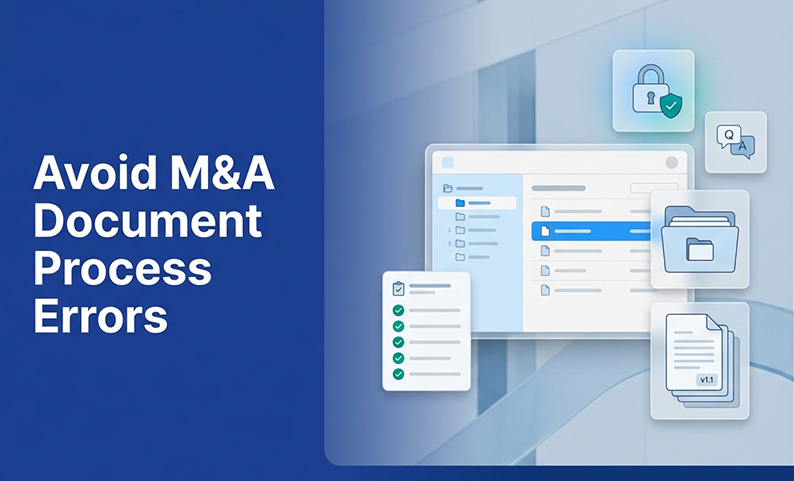
Your diligence timeline isn’t slipping because documents are missing. It’s slipping because questions are bouncing between six email threads and three reviewers are working from different drafts.
These are preventable process failures. Fix a small set of document-management errors in week one, before your stakeholder count and document volume explode. Doing so protects confidentiality, keeps reviewers aligned, and significantly reduces deal risk.
Why M&A document management breaks down (even with good intentions)
What “document management” actually includes in diligence (not just storage)
In M&A, document management is more than just storage. It’s a system for controlling access, versions, questions, sensitive data, audit trails, and post-close retention. Most teams handle one or two of these well. The others create risk.
The fix: a 5-error checklist you can run in week one of diligence
How to use this checklist with internal teams and external advisors
Run this list in the first week to prepare your data room and prevent buyer delays. Assign an owner for each error, pick one system of record, and enforce it from day one. The goal is to stop the specific failures that cause delays, leaks, and rework.
1) Error: Treating access control as an afterthought (“we’ll lock it down later”)
What it looks like
A sensitive model is emailed to four advisors “to move faster.” A shared drive link is forwarded outside the intended group. By the time you realize the exposure, you can’t trace who saw what.
How to avoid it (essential controls)
Using a virtual data room (VDR) with these features is the most reliable way to prevent oversharing and generate a clear audit trail.
2) Error: No single “source of truth” for uploads and change tracking
What it looks like
Three people upload documents from different folders. A revised P&L quietly replaces the original without notification. Someone asks, “Is this the latest deck?” and gets four different answers.
How to avoid it (upload governance in 30 minutes)
A platform with built-in version control solves this. It maintains a traceable record of every change, so there’s no confusion about which file is final.
3) Error: Version control chaos (duplicates, overwritten files, and outdated documents)
A simple diligence versioning rule-set that works
Version chaos is a common and expensive error. Reviewers work from outdated drafts, auditors can’t reconstruct what was shared, and the data room accumulates clutter.
Use a consistent naming format: [DocumentName]_v[X.X]_[YYYYMMDD]. Major revisions increment the whole number (v1.0 to v2.0), while minor edits increment the decimal (v1.0 to v1.1). Never use “final” or “revised” as version identifiers. When a new version is uploaded, the old one moves to an archive folder, clearly marked “Superseded” but not deleted.
Document lifecycle: publish → revise → retire (and how to keep the room clean)
Every document follows three stages: published (active), under revision (flagged, not for reliance), and retired (superseded, archived). Communicate stage transitions to all reviewers with notifications. Don’t rely on them to notice a change. A clean room with 200 well-organized documents moves faster than a cluttered room with 400.
4) Error: Q&A and clarifications live in email (so nothing is searchable or traceable)
What it looks like
A legal reviewer emails a question about a contract. Someone responds with a partial answer. Two days later, a different advisor asks the same question and gets a different answer. No one can reconstruct the decision trail.
How to avoid it (centralized Q&A workflow)
VDRs solve this by design. Tools like built-in Q&A forums and document commenting keep every clarification tied to its source document, making the entire history searchable post-close.
5) Error: Sensitive disclosure is improvised (redaction, clean teams, staged release)
When to use redaction vs. clean teams vs. staged disclosure
These three tools are not interchangeable. Redaction removes specific information (like pricing or PII) from a document. Clean teams are restricted groups for when a document must be seen by some advisors but not others. Staged disclosure controls when document categories go live, sequencing access by diligence phase.
What these choices change in your document workflow
Improvising these decisions creates security gaps. Instead, you should:
Implementation: who owns what (a lightweight responsibility map)
The minimum roles to assign (even on lean teams)
| Role | Responsibility |
| Data Room Administrator | Permissions, user access, audit log review |
| Document Owner (per stream) | Uploads, versioning, master index |
| Q&A Coordinator | Triage, assignment, SLA tracking |
| Disclosure Manager | Redaction decisions, staged release timing |
Working with external advisors without losing control
Give external advisors clearly scoped access to avoid leaks. Route their document contributions through your upload owner to maintain a single source of truth. Keep all questions in the platform, and set access to expire when their work is complete.
Using AI to accelerate—with guardrails
Once your process is stable, AI can reduce manual work. Use it for smart indexing, metadata search, or AI-assisted redaction to find information faster. But always pair automation with human review and strict permission controls. AI is an accelerator, not a replacement for diligence expertise.
Summary and Next Steps: prevent the errors before they cost you weeks
Diligence delays aren’t random. They’re usually the downstream cost of these five early process errors. If you lock down access, centralize uploads, enforce versioning, move Q&A into your platform, and plan your disclosure strategy from day one, you will keep your deal on track and your data secure.
FAQ
What are the most common M&A document management mistakes that cause deal delays? The most damaging errors are uncontrolled access, no single upload owner, version chaos, scattered Q&A, and improvised sensitive disclosure. Fix them early before document volume makes them unmanageable.
How do we set up version control in due diligence so reviewers don’t use outdated documents? Use a consistent naming convention (like _v1.1_YYYYMMDD), move superseded files to an archive folder, and notify reviewers when a new version is live.
How should we run a centralized Q&A process during diligence (without slowing anyone down)? Use an in-platform Q&A channel, tag each question to its source document, assign a response owner, and set a 24–48 hour SLA. This creates a fast, auditable decision log.
What’s the practical difference between clean teams and staged disclosure in a data room workflow? Clean teams restrict who sees sensitive information (specific reviewer groups). Staged disclosure controls when information becomes available (for example, Phase 2 information after Phase 1).
How do we manage external advisors’ access while keeping one source of truth? Scope their access to specific folders, route all contributions through a designated upload owner, and keep all communication inside the platform.
What should we do with diligence documents after closing for audit readiness and retention? Archive the complete data room, including all versions, Q&A records, and audit logs, in a secure and searchable format. Define a retention period based on your regulatory and legal obligations.
Want tighter control and faster diligence without email chaos?
Book a free demo to see how DCirrus VDR centralizes secure document sharing, permissions, audit trails, AI-powered search, and in-platform Q&A to reduce diligence delays and risk.
Latest Posts
Buyer Engagement Analytics in a VDR: What Deal Teams Can Track
August 17, 2026
12 VDR Features Required for IPO Preparation in India
August 13, 2026
What Bankers and Auditors Need From an IPO VDR in India
August 12, 2026