Secure Upload Links vs. Encrypted Email_ A Risk and Efficiency Analysis for M&A Document Collection
You’ve sent the encrypted email. The counterparty’s accountant has forwarded it to three colleagues. Two of them don’t have the decryption key. And somewhere in an inbox you can’t see, a copy of your client’s financials is sitting untracked and outside your control. This is not a theoretical breach. It’s Tuesday on a mid-market M&A deal.
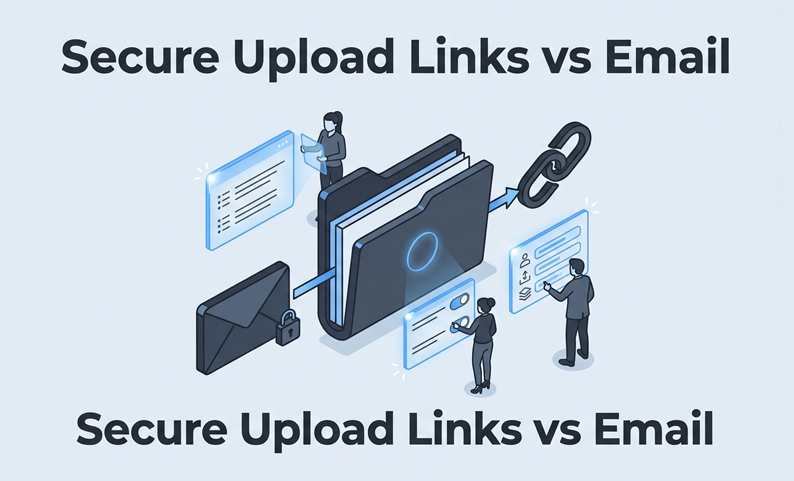
For M&A document collection, encrypted email creates an illusion of control. It secures the transmission, but it does nothing to govern what happens after delivery. It cannot control who forwards the file, who prints it, or who opens it six months later. Secure upload links, deployed inside a virtual data room (VDR) workflow, change the equation. They move collection from an inbox problem into a governed process with centralized permissions, continuous logging, and enforceable document protections. This article compares both methods across the core failure modes of diligence: misdelivery, uncontrolled redistribution, version drift, and audit gaps. The goal is to provide a clear decision framework for your practice.
What problem are we actually solving in M&A document collection?
The typical intake scenario
A live diligence process involves coordinating document requests across the target company’s management, external accountants, and legal counsel simultaneously. File formats range from clean PDFs to multi-tab Excel models and scanned contracts. As deadlines approach, your deal team triages incoming documents while issuing new requests. Under this pressure, the collection method is not an administrative detail. It determines how much time your team spends chasing uploads and whether you can produce a defensible access record if disputes arise.
The two options on the table
Encrypted email (including S/MIME, ProtonMail, or Virtru) secures the message in transit. The attachment is protected during transmission, but the sender loses all control once the recipient opens it.
Secure upload links provided by a VDR are request-based. You generate a link for a third party to upload directly into a designated folder in the data room. The file arrives with logging, version control, and access permissions already applied. The collection event itself is governed, not just the channel.
Why encrypted email becomes risky in diligence (failure modes, not theory)
Encrypted email’s core problem in M&A is not the encryption standard. It is that encryption only protects the file in transit. Diligence involves dozens of human handoffs, and encrypted email has no controls for any of them.
Control gaps: forwarding, misaddressing, and “once sent, it spreads”
Once an encrypted attachment reaches a recipient, the sender’s authority ends. This creates recurring failure modes:
Audit gaps: proving who accessed what (and when) is painful
Post-close disputes or regulatory inquiries require knowing what information each party had, and when. With encrypted email, reconstructing an access record requires manual inbox searches across multiple organizations. This is not a defensible audit trail. A VDR, by contrast, provides a centralized, timestamped log showing which user accessed which document, from which IP address, and what they did. The difference between an email delivery log and a VDR audit trail is the difference between plausible and provable.
Versioning and integrity: attachments + re-sends = conflicting “final” files
When collection runs through email, versioning becomes fragile. A counterparty emails an updated file while the original sits in two analysts’ inboxes. Version drift is a common source of rework in email-based diligence, leading to duplicated review effort and analysis conducted on outdated documents.
Where secure upload links change the risk profile
Secure upload links resolve these failure modes at the point of collection. When a third party uploads via a VDR link, the file lands in a designated folder under pre-set access controls. You determine who can view it, whether they can download or print it, and for how long. Forwarding a link does not grant access to unauthorized users, and revoking access is immediate and platform-enforced.
This is why deal teams move collection into a VDR where permissions, two-factor authentication, and audit trails are inherent to the workflow. A VDR like DCirrus, for example, provides granular access controls at the folder and file level, device-level approval through unique device ID mapping, and comprehensive audit trails that log every user action. This makes collection defensible rather than reconstructable after the fact.
Table 1: Risk-control matrix — encrypted email vs. secure upload links
| Failure Mode | Encrypted Email | Secure Upload Links | Mitigation with Upload Links |
| Misaddressing / misdelivery | High likelihood; no recovery | Low likelihood; upload targets a room | Pre-configured upload destinations |
| Forwarding / uncontrolled redistribution | No controls post-delivery | Forwarding a link doesn’t grant access | Role-based permissions enforced at platform level |
| Unauthorized printing / local copying | Undetectable after decryption | Controllable via DRM settings | Disable print/copy at document level |
| No access log / audit trail | Delivery receipt only | Full timestamped activity log | Exportable audit reporting |
| Version drift / conflicting files | Common; no central version of record | Centralized repository; version history maintained | Version control with superseded-file flagging |
| Access after deal close | Unrevocable once delivered | Revocable; expiry on downloaded files supported | Expiry dates and remote revocation |
How secure upload links improve efficiency (where time is actually saved)
Security controls are a necessary argument, but associate time consumed by email-based collection is what moves partners.
Workflow comparison table: email vs. secure upload link intake
The operational difference is not marginal. Email-based collection creates at least three manual touchpoints per document that upload-link collection eliminates.
Table 2: Workflow step comparison — email vs. secure upload link intake
| Step | Email-Based Collection | Secure Upload Link Collection |
| Request | Email drafted per party; no tracking | Structured request list sent from VDR; tracked per item |
| Receive | Attachments land in inbox; manual sorting required | Files land in designated folder; auto-notified |
| Validate | Manually check filename, format, completeness | VDR captures upload metadata; version history auto-created |
| Route | Forward to reviewers; access uncontrolled | Reviewers access in-platform; permissions already set |
| Track | Status tracked in spreadsheet or memory | Real-time status visible per document request |
| Report | Manual compilation; no access data | Exportable log; access and status reportable to partners |
High volume and messy formats: what breaks first
Email-based collection breaks when volume scales. Corporate mail servers often impose attachment size limits of 10-25 MB, forcing workarounds like file-splitting or personal cloud shares that introduce new security gaps. Secure upload links in a VDR are not subject to these constraints and can support bulk uploads and multi-gigabyte files. File naming conventions can also be specified in the upload request, reducing the manual normalization burden on your team.
Making collected documents reviewable faster (indexing + search)
Even with organized uploads, a diligence team faces a findability problem. Which of these 3,200 files contains the change-of-control clause? This is where document intelligence at the VDR level compounds efficiency. AI-powered document intelligence in a VDR like DCirrus (including smart indexing, automated categorization, and clause recognition) allows reviewers to locate specific provisions across thousands of files without reading sequentially. This removes a manual review burden that would otherwise fall to associates.
Chart 1: Relative time burden: email vs. upload link collection (qualitative comparison)
| Activity | Email Collection | Secure Upload Link Collection |
| Chasing missing uploads | High | Low (tracked per request) |
| Manual sorting/routing | High | Low (folder-structured on arrival) |
| Rework due to version errors | Medium–High | Low (version control active) |
| Triage and findability | High | Low (indexing + search enabled) |
| Reporting to partners/clients | High (manual) | Low (exportable audit + status) |
Compliance and defensibility: what you can prove with each method
Audit trail expectations in diligence workflows
A defensible audit trail must include timestamped logs of every upload, view, download, and print event, tied to an authenticated user identity. Encrypted email provides none of this reliably. VDR audit logs are centralized, platform-generated, and cannot be altered by participants. For high-stakes transactions where post-close litigation is plausible, this distinction is material.
Cross-border and data residency considerations
For cross-border deals, regulations like GDPR and India’s Digital Personal Data Protection Act impose rules on where data can be stored. Encrypted email offers no control over data localization, as messages traverse servers based on routing logic instead of compliance needs. VDRs address data residency and control challenges by providing secure access, compliance certifications, and data location transparency. VDR platforms with data localization options allow clients to specify the server region where documents are stored, addressing this requirement directly.
Decision checklist: when email is acceptable vs. when you need secure upload links
“Encrypted email is acceptable if…” (limited, controlled scenarios)
Encrypted email can be acceptable only under a narrow set of conditions:
If all five conditions are met, the risk is manageable. If even one is not, which is true for most M&A diligence, the risk profile shifts.
“You need secure upload links if…” (deal scale triggers)
Vendor evaluation criteria (security, controls, workflow, reporting, UX)
Table 3: Evaluation checklist — secure upload link / VDR for M&A collection
| Capability | Why it matters | Questions to ask the vendor |
| Granular access controls (folder + file level) | Prevents over-sharing; enforces need-to-know | Can I set different permissions on individual files within the same folder? |
| 2FA / MFA for all users | Authenticates identity before access; reduces credential risk | What MFA methods are supported? Is it enforced or optional? |
| Document-level DRM (disable print/copy/share) | Controls what happens after download | Can I disable printing and copying on specific files? What’s enforced vs. watermark-only? |
| Expiry on downloaded files | Limits access post-close or post-revocation | Can I set expiry dates on downloads? What happens when they expire? |
| Dynamic watermarking | Deters unauthorized redistribution; aids tracing | Is watermarking applied at view? Does it include user ID and timestamp? |
| Comprehensive audit trail | Provides defensible access record | What events are logged? Can I export the full log? How long is it retained? |
| Version control | Prevents work on superseded documents | How does the platform handle version supersession? Are prior versions retained? |
| Upload request tracking | Shows status per item; reduces chasing | Can I track which requests are outstanding, completed, or overdue per counterparty? |
| Integrated Q&A / secure messaging | Keeps all deal communication in one auditable place | Does the Q&A log questions, answers, and attachments in the audit trail? |
How to implement secure upload links without slowing the deal (practical rollout)
Switching from email to a VDR mid-deal does not have to be disruptive. A focused rollout can establish control and improve efficiency quickly.
Minimum viable rollout (48–72 hours): rooms, permissions, and upload requests
Focus on getting the highest-priority items into a governed workflow first.
Third-party onboarding tactics that reduce friction
Counterparties will adopt the new system if communication is clear and direct.
Governance: who approves access, how to handle exceptions, and how to report status
A simple governance process maintains control without creating bottlenecks. Decide who on the deal team can approve new users or permission changes. Use the VDR’s built-in reporting to provide daily or weekly status updates to partners and clients, replacing manual spreadsheet tracking. Platforms like DCirrus support rapid deployment with features such as web and mobile access, data localization options, and exportable indexes for immediate progress tracking.
How DCirrus VDR supports secure, auditable third‑party document collection
DCirrus VDR replaces fragile, email-based collection with a governed, efficient, and auditable workflow. With secure upload links, granular permissions, AI-powered document intelligence, and comprehensive audit trails, you gain control over the entire diligence process. See how you can accelerate deal timelines while reducing risk.
Latest Posts
Buyer Engagement Analytics in a VDR: What Deal Teams Can Track
August 17, 2026
12 VDR Features Required for IPO Preparation in India
August 13, 2026
What Bankers and Auditors Need From an IPO VDR in India
August 12, 2026