A Lawyer’s Guide to VDR Q&A Modules: Replacing Email Chaos with a Defensible Audit Trail
If you have ever tried to run a live auction through email, you already know the failure mode. Questions get buried, answers splinter across inboxes, junior associates rebuild spreadsheets by hand, and one wrong attachment can expose privileged material to the wrong side. That is how deal fatigue sets in and how a clean M&A workflow turns messy fast.
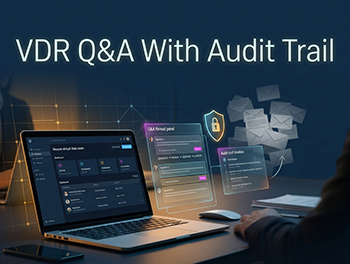
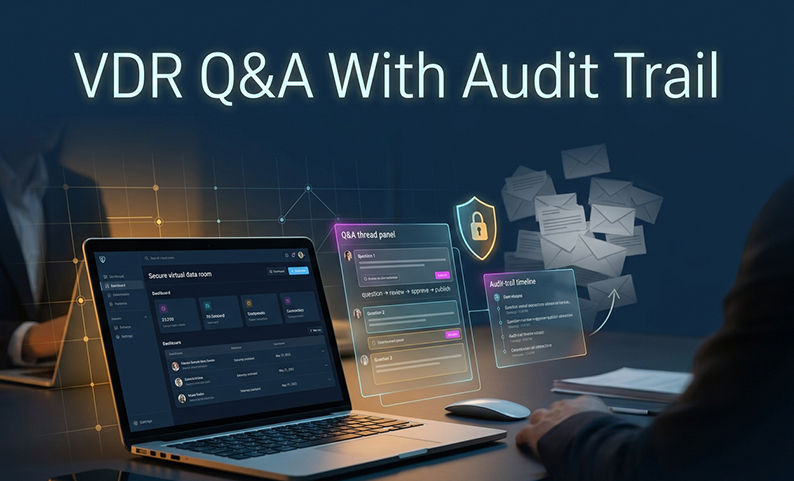
The fix is not more email discipline. It is an integrated Q&A module inside the data room, built to keep every question, answer, approval, and disclosure decision in one controlled place with a defensible audit trail. In this guide, I’ll walk through how that workflow works, how it replaces insecure email chains, and the steps a law firm should use to run it well.
What makes a VDR Q&A module different from email?
A VDR Q&A module is not just a message box. It is a structured process for submitting, routing, reviewing, approving, and publishing diligence questions tied to the actual deal materials.
That matters because email is linear and brittle. A proper module supports Q&A traceability, role-based access, bidder-group visibility, and a record of who did what and when. In practice, that makes it far better than a loose combination of email, spreadsheets, and shared folders.
It also fits the reality of modern transactions. A mid-market DDQ can run to hundreds of structured questions across multiple workstreams, and diligence periods often stretch long enough for confusion to spread. When the process is centralized, you reduce rework, limit vendor risk management issues, and keep sensitive discussions inside secure messaging rather than scattered across inboxes.
The 7-step VDR Q&A workflow
1. How do you stand up the deal before questions start?
Start by setting the room up properly. That means defining the deal metadata, building the workstream folder structure, loading the DDQ, and creating bidder and internal groups before launch.
Use this step to lock in the basics:
- Confirm deal name, deal code, deal type, target entity, jurisdictions, and languages.
- Organize folders by workstream, such as legal, tax, HR, IT, IP, commercial, regulatory, ESG, and litigation.
- Preload the process letter, NDA, bid procedures, and timeline.
- Set data residency for the relevant region where needed.
- Turn on MFA, SSO, IP allow-listing, and device-binding controls.
2. How should permissions and access tiers be configured?
This is where many teams either gain control or create a future problem. The goal is simple: only the right people should see the right materials, and that should hold across the full deal cycle.
Use role-based permissions and make them explicit:
- Define admins, transaction leads, Q&A coordinators, reviewers, SMEs, viewers, and observers.
- Set folder and file permissions for view only, download, no print, and watermark on view.
- Apply Q&A permissions by group so only approved users can submit or publish.
- Use document-level controls like print prohibition and dynamic watermarking.
- Keep folder inheritance consistent so permissions do not drift when the deal structure changes.
3. What rules should govern the Q&A workflow itself?
A good module does not just collect questions. It routes them. That is what turns an integrated Q&A module into a true operational tool instead of another inbox.
Set routing and approval rules up front:
- Map categories to the right expert group, such as tax, HR, or commercial.
- Define SLAs by category so expectations are clear.
- Choose whether answers need one approver or two.
- Set escalation paths for sensitive issues.
- Assign default visibility rules for single bidder, a bidder group, or all bidders.
This is also where deal fatigue can be reduced. Faster routing, cleaner approval chains, and fewer follow-up loops mean less friction for both sides.
4. How do you launch bidders without losing control?
Do not turn on everyone at once. A soft launch is the safer move because it lets you validate the room before the pressure increases.
Use a controlled launch:
- Onboard bidder groups one at a time.
- Test permissions, downloads, watermarking, and routing with a shadow account.
- Resolve access errors before broad rollout.
- Publish a short user guide and name a support contact.
That small discipline prevents the kind of near-miss that can damage confidence early in the process.
5. How should the Q&A cycle be run day to day?
This is the operating rhythm that keeps the process moving. The best teams do not treat Q&A as ad hoc admin work. They run it like a managed queue.
Daily execution should include:
- Triage new questions every day.
- Hold a short stand-up with the transaction lead, coordinator, and lead approver.
- Track open questions, average time to answer, SLA breaches, and top categories by volume.
- Use template answers for predictable questions.
- Republish shared answers to the right bidder groups where appropriate.
- Pause and review anything privileged or unusually sensitive.
This is where the audit trail becomes real value, not just a compliance checkbox. Every step is logged, and that history matters later.
6. How do document updates and notifications stay clean?
Version control is one of the main reasons firms move away from email. If updates are handled through the module, you avoid blast emails, stale drafts, and confusion about which file is current.
Keep this part tight:
- Trigger notifications automatically when new files are uploaded.
- Supersede older versions so only one current version is visible.
- Capture uploads, replacements, and deletions in the log.
- Alert administrators on bulk download attempts.
- Use file-level analytics to see engagement patterns.
That last point is useful. It helps partners gauge bidder interest without guessing.
7. What happens at close-out?
At signing or termination, the room should be frozen and exported as a complete record. That is the point where a good workflow becomes a defensible one.
Close with discipline:
- Export the Q&A log, audit trail, permission matrix, and document index.
- Preserve the record in a tamper-evident format.
- Retain it according to firm policy and any deal-specific hold.
- Review SLA performance, Q&A volume, and common pain points.
- Update your internal template library for the next deal.
Who owns what in the process?
A clear ownership model prevents drift. Here is the practical division of labor.
| Activity | Lead Counsel / Partner | Deal Coordinator | Sell-side Banker | Sell-side Counsel | Bidder Counsel | Bidder Banker | Internal SME |
|---|---|---|---|---|---|---|---|
| Submit question | I | I | C | C | R | R | — |
| Triage and route | A | R | C | C | — | — | I |
| Draft answer | C | C | C | C | — | — | R |
| Review answer | A | R | C | C | — | — | C |
| Approve and publish | A | R | I | I | I | I | — |
| Audit-trail review | A | R | I | C | — | — | — |
| Bulk export and archive | A | R | I | C | — | — | — |
R = Responsible, A = Accountable, C = Consulted, I = Informed.
What goes wrong most often, and how do you catch it early?
Permission misconfiguration
A bidder sees something they should not, or an internal user gets blocked. Test every permission tier with a shadow account and require two-person sign-off.
Email leakage
A partner forwards a file “just this once.” That is how data leaves control. Use a no-attachments policy and block or log downloads for tagged files.
Version confusion
People act on an old draft. Enforce single-version visibility and clearly supersede older files.
Q&A silos
Questions get answered outside the module and disappear from the record. Make the rule simple: all substantive Q&A stays in the module.
SLA misses
Questions age, bidders escalate, and momentum slips. Use timers, auto-escalation, and daily stand-ups.
Inconsistent disclosure
One bidder gets a materially different answer than another. Route answers through a single approver and maintain a disclosure log.
Privilege waiver risk
Privileged material gets shared too widely. Use a privileged-only path and preserve markings on export.
Audit-trail gaps
The export does not reconstruct what happened. Validate the log during soft launch and test the close-out export before the deal ends.
How does this fit into a broader operating strategy?
The best firms do not think of the Q&A module as a one-off feature. They use it as part of a repeatable deal operating system.
That means three things. First, automate the obvious parts where possible, such as categorization, redaction, and routing. Second, measure ROI in practical terms: billable time saved, cycle-time compression, fewer near-miss exposures, and better audit completeness. Third, turn the output into a firm asset by keeping a templated Q&A library for future deals.
This is also where product selection matters. A serious platform should support granular access controls, AI-assisted redaction, customizable watermarking, data localization, and strong certifications. DCirrus is one example of a platform built around those needs, with cloud-based collaboration, DRM, auditability, and region-aware hosting options.
Summary and Next Steps
The main point is straightforward: if your firm is still running diligence questions through email, you are accepting avoidable risk, avoidable rework, and avoidable delay. An integrated Q&A module gives you one controlled place to manage disclosure, maintain a clean audit trail, and reduce the friction that drives deal fatigue.
The single highest-priority action is to standardize on a data-room-based Q&A process before the next bid cycle starts. Do that, and you will protect the record, improve team efficiency, and give clients a cleaner deal experience.
FAQ
What is the difference between a VDR Q&A module and email?
Email is unstructured and easy to lose control of. A VDR Q&A module ties questions to the deal materials, routes them through approvals, and keeps the full history in one audit trail.
Can the Q&A history be exported for litigation or arbitration?
Yes. A proper module should export the full Q&A record, including versions, approvals, and timestamps, as a self-contained archive.
Can bidders see each other’s questions?
Not by default. Visibility should be controlled by bidder group, with shared disclosure used only when appropriate.
How do you handle privileged questions?
Use a privileged-only workflow, keep publication restricted, and preserve privilege markings in the export. A module does not create privilege by itself.
Can approvers be changed mid-deal?
Yes, but the history should remain intact. The point is to preserve the chain of custody, not to reset it.
Does the module support two approvers for sensitive categories?
It should. Dual approval is a common control for tax, regulatory, and other sensitive topics.
What happens to Q&A after the deal closes?
It should be frozen and archived according to firm policy and any hold obligations. The export should remain readable without proprietary tools.
Is a Q&A module the same as secure messaging?
No. Secure messaging can support coordination, but substantive diligence Q&A belongs in the module so the record stays complete and defensible.
How does it help with cross-border work?
It helps by keeping communications centralized, supporting data residency needs where required, and reducing the risk of version and permission errors across regions.
Can your firm answer 200 bidder questions without losing control?
If your team is still juggling email, spreadsheets, and version chaos, the process is already costing you time and exposing you to risk. DCirrus helps firms centralize document sharing, secure collaboration, and Q&A management in one controlled environment with auditability built in.
Latest Posts