Anatomy of an IPO Document Leak: A Scenario Analysis of How Dynamic Watermarking and Remote Shred Prevent Breaches
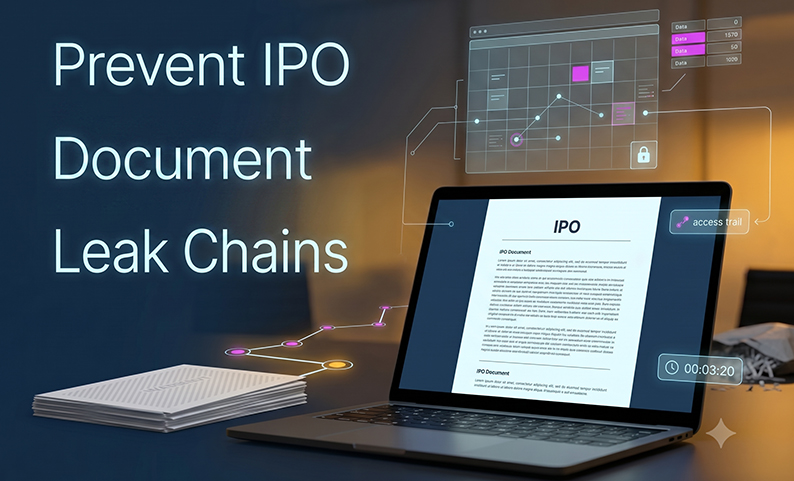
A DRHP draft goes out to eleven parties on a Friday. By Monday, a journalist is asking about a specific revenue line. No one forwarded the document. The VDR wasn’t hacked. The cause is far more common, and much more preventable.
IPO document leaks are almost never single-point failures. They are chain failures. A download here, a printed markup there, a screenshot sent over WhatsApp. Each step feels routine, but together they create huge risks, from insider trading exposure to regulatory scrutiny.
This article walks through the anatomy of that chain, step by step. You’ll see exactly where dynamic watermarking, remote shred, and a controlled VDR process stop a leak in its tracks. We’ll cover a realistic leak scenario, a minimum control checklist, a responsibility breakdown, and the failure modes you need to plan for.
What typically causes IPO document leaks and why are “trusted parties” the riskiest assumption?
Leaks don’t usually come from hackers. They come from your own deal team, working under pressure.
Common leak paths in a live IPO transaction include:
- Email forwarding of draft financials to a colleague “for a quick review”
- Uncontrolled downloads saved to personal laptops or home drives
- Printing for markups at home offices with shared family devices
- Screenshots during video calls when someone shares a sensitive table
- Legacy PDF/Office exports that strip all access controls
- WhatsApp sharing of “just one page” for a quick opinion
- Temporary file transfers that become permanent, untracked copies
A 10-party deal team (bankers, counsel, auditors, registrars, underwriters) means ten organizations with different security standards. One firm’s lax download policy becomes your exposure.
The pattern is always the same: one small gap plus a tight deadline equals a breach. Controls that only manage initial access miss everything that happens next.
What is dynamic watermarking and how is it different from a static watermark?
A static watermark is a fixed label, like a logo or a “confidential” stamp, baked into the document. It’s the same for everyone and tells you nothing about who has the document.
A dynamic watermark is smarter. It’s identity-aware, changing based on who is viewing, downloading, or printing the document at that moment.
A well-configured dynamic watermark includes:
- User login identity (name, email)
- Timestamp of the access event
- IP address or device marker
- Deal name or classification string
This is a powerful psychological deterrent. When a reviewer sees their own name and IP address on every page, they think twice before sharing. It’s not airtight, but the effect is real.
For investigations, this is critical. If a printed page or screenshot surfaces, the watermark provides immediate attribution data: who had that copy, when, and from where.
DCirrus VDR applies dynamic watermarking that embeds user login information, IP addresses, and timestamps on documents. All access events (views, downloads, prints) are logged in comprehensive audit trails.
A key constraint: dynamic watermarking deters and traces, but it can’t physically stop someone from taking a photo of their screen. Clients on unsupported or legacy viewers may also bypass enforcement, so your policy must require access through approved paths.
Where does “remote shred” fit in an IPO when everything is supposed to be digital?
Anyone who thinks IPO workflows are fully digital is mistaken.
Printing still happens for a few key reasons:
- Partners and senior advisors prefer to mark up documents by hand.
- Board packs are printed for committee sign-offs.
- Some signature workflows still require hard copies.
- Reviewers with bandwidth issues often default to print.
- Some people simply find it easier to review on paper.
Every page that gets printed is a document you no longer control. While dynamic watermarking helps with attribution if a page leaks, it doesn’t dispose of the copy sitting in a home office recycling bin.
That’s the gap remote shred closes.
Operationally, remote shred works like this:
- Shred bags are issued to external reviewers who receive approved printed copies.
- Pickup or mobile shredding is scheduled based on transaction milestones.
- Return-to-office drop is available for team members with office access.
- Chain-of-custody confirmation is logged to verify destruction.
The policy backing this up is simple: define what must be shredded (all confidential IPO materials), when it must be shredded (within a set time after use), and who is responsible. For DRHP-level documents, “no home trash” is a non-negotiable rule.
DCirrus supports the governance side with print restrictions, watermark-on-print, and audit trails for print events. The physical shred program handles the actual collection and destruction.
What does an IPO document leak look like step-by-step and where do dynamic watermarking and remote shred stop it?
Here’s how a realistic leak unfolds, and where your controls intervene.
Step 1: Documents uploaded under time pressure The DRHP draft and financial model go into the data room. Eleven external parties are invited. Without a controlled VDR environment (granular permissions, 2FA, IP restrictions), access is uneven from the start. DCirrus VDR creates this baseline with role-based folder access and strong authentication for external parties.
Step 2: An external reviewer requests offline access A senior auditor prefers to work offline. A download is permitted, but with an expiry date set and dynamic watermarking applied. Without those controls, this would be a permanent, untracked copy.
Step 3: A partial table gets shared “for quick input” The auditor screenshots a revenue table and sends it to a colleague outside the approved channel. The watermark on any printed or downloaded version carries identity and timestamp data. A screenshot from a screen might not, which is why DRM controls (like copy/share restrictions) are so important.
Step 4: Market rumor or journalist query triggers escalation A financial journalist asks about a specific revenue line. The merchant banker’s internal escalation process begins.
Step 5: Investigation Audit logs show who accessed which documents, when, and from which IP. The watermarked page can be matched to a specific access event. This is where dynamic watermarking proves its worth. It shrinks the investigation from weeks down to hours.
Step 6: Containment With DCirrus DRM controls, the admin can tighten permissions immediately. They can disable downloads, enforce expiry on already-downloaded files, and require fresh authentication. There’s no need to wait for legal confirmation to limit further spread.
Step 7: Physical cleanup A remote shred instruction is issued to all parties who received printed materials. Shred bag pickup is confirmed, and the chain of custody is documented before the next document release.
What’s the minimum control set you need around watermarking and shred to make them actually work?
Watermarking and shred are powerful, but they don’t work in a vacuum. You need to wrap them in a strong control layer.
- Use least-privilege permissions for every folder and file. Legal, auditors, bankers, and issuer teams should be in separate access groups, with no broad “view all” grants for external users.
- Require strong authentication for external parties. Use 2FA via SMS, email, or an authenticator app, and consider device-level approval where feasible.
- Set DRM defaults for high-sensitivity folders. Restrict printing, copying, and sharing by default. Permit downloads only when justified, and always set expiry dates. DCirrus enables customizable expiry on all downloaded files.
- Turn on dynamic watermarking for top-tier documents. Always embed the user login, timestamp, and IP address at view, download, or print. This can be applied automatically to sensitive folders in DCirrus.
- Maintain audit trail hygiene. Your logs must cover view, download, print, and Q&A activity. Define who reviews the logs and how often (for example, weekly during an active DRHP sprint).
- Establish a remote shred operating procedure. Document who is allowed to print and under what conditions. Issue shred bags at setup and schedule pickups before key disclosure milestones.
What are the most common failure modes—and how do you mitigate them before they become a breach?
Get ahead of these common issues.
- Watermark Solution: Run a quick internal pilot first. Limit watermarking to the most confidential documents and frame it as standard practice, not targeted scrutiny.
- External parties on incompatible tools Solution: Enforce web or mobile access via DCirrus. Set a clear exception process with documented approval before any workaround is permitted.
- Printing creep (“just this once for the partner”) Solution: Establish pre-approved printing lanes with watermark-on-print enabled. Tie every approved print to a mandatory shred requirement.
- Overreliance on deterrence. Solution: Watermarking changes behavior but doesn’t block every action. Pair it with DRM restrictions, permission controls, and have a rapid containment playbook ready.
- Investigation delays. Solution: Assign a named owner (typically the VDR admin or compliance lead) to review logs and lead the first 60-minute incident response. When everyone has access to logs, it often means nobody is watching them.
Who owns what during an IPO? (A simple responsibility matrix for leak prevention)
For leak prevention to work, someone has to own each part of it. Here’s a simple breakdown of responsibilities.
- Merchant banker: Defines confidentiality tiers, approves the external access model, owns escalation decisions, and signs off on the remote shred policy.
- Issuer: Acts as the source-of-truth for all uploaded materials, enforces internal user discipline, and approves any printing requests from their own team.
- Legal counsel: Manages redactions and version control, and formally submits any requests for exceptions.
- Auditors and other externals: Adhere to all VDR access rules, confirm shred completion for any printed materials, and do not route documents outside approved channels.
- VDR admin / IT / compliance: Configures permissions, 2FA, and IP restrictions. They also export and review audit logs and execute containment actions (like revoking access) within minutes of an incident.
Summary and next steps: how to reduce leak probability without slowing the deal
Remember these three things:
- IPO leaks are chain failures. Controlling initial access isn’t enough. You need controls for viewing, downloading, printing, and disposal.
- Dynamic watermarking is about deterrence and traceability. Think of it as a record, not a lock.
- Remote shred closes the physical leak path that digital controls can’t touch.
Do this next: Before your DRHP sprint begins, run a 30-minute “leak path review.” List your top three most likely leak vectors (usually downloads, printing, and third-party forwarding). Then set your DCirrus defaults for your most sensitive files: DRM on, watermarking on, and downloads by exception only, with a documented shred procedure. This is the foundation for a secure deal.
FAQ
Does dynamic watermarking stop screenshots or photos of screens? No. It’s a deterrent, not a technical block for screen photos. That’s why you need to pair it with strong user policies and DRM controls to reduce the risk.
What should a good watermark include for IPO documents (minimum fields)? At minimum: user login identity, timestamp of access, and IP address. Adding a deal classification (e.g., “CONFIDENTIAL – [Deal Name]”) also helps. All four fields are supported in DCirrus.
When should we allow downloads vs. view-only access? Default to view-only for all external parties. Allow downloads only when offline review is operationally necessary, and only with DRM controls applied (like an expiry date and print restrictions). Document every exception.
How do we handle external parties who insist on offline review? Have a formal exception process. If offline access is approved, the download must have an expiry date, dynamic watermarking enabled, and a shred commitment confirmed before the file is released. No informal workarounds.
What’s a practical remote shred process for hybrid teams? Issue shred bags at the start of the transaction to anyone with printing rights. Schedule a pickup or drop-off at defined milestones (like the end of due diligence or after the deal closes). Always require written confirmation of destruction.
How long should we retain audit logs for SEBI readiness? General practice is to retain records for a minimum of 5 years post-transaction. You should confirm this with your compliance team based on current regulations. DCirrus audit trails are exportable for archival.
Will watermarking slow down review or hurt readability? When configured well, the impact is minimal. Placement and opacity settings matter. A semi-transparent diagonal watermark is standard and doesn’t obscure content. Pilot it internally first.
What should we do in the first 60 minutes after a suspected leak? Immediately pull audit logs for the relevant documents and time window. Simultaneously, restrict or suspend download access for the affected folder. Then, escalate to legal and compliance. Don’t wait for confirmation before you start limiting the spread.
Need a VDR that can deter leaks and keep your IPO audit trail SEBI-ready?
Your IPO transaction is a high-stakes, multi-party environment where confidentiality is everything. DCirrus VDR is built for this. It gives you granular permissions, DRM controls (print/copy/share restrictions with download expiry), dynamic watermarking with user identity and timestamps, and comprehensive audit trails. It’s all in one platform, so your deal isn’t running on risky email threads.
Latest Posts
How Long It Takes to Launch a VDR for an IPO Mandate
August 06, 2026

VDR Features Merchant Bankers Need for IPO and M&A Execution
August 05, 2026
Top Deal Management Features to Look for in a VDR
August 03, 2026