Top Deal Management Features to Look for in a VDR
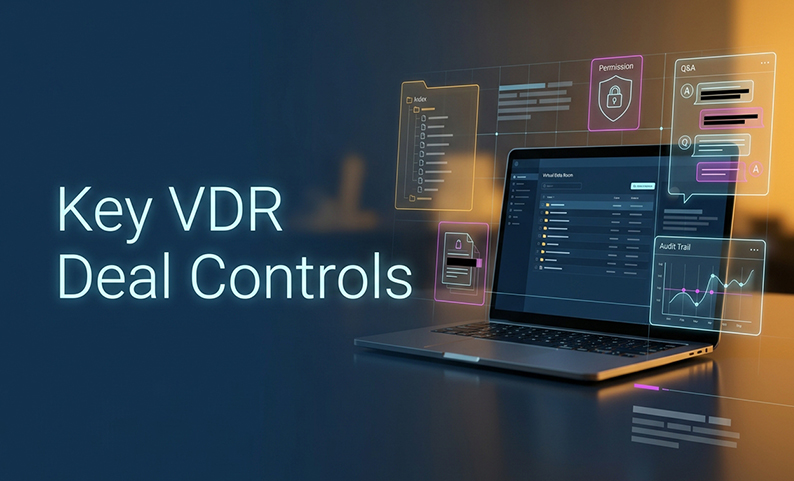
When an IPO, FPO, or M&A mandate gets busy, the failure mode is rarely one big mistake. It is a hundred small ones: a missing document, a wrong permission, an unanswered question, a stale version, or a bidder who sees too much. For SEBI-registered merchant bankers running long, multi-party deals, that is where an ordinary file store breaks down.
This is why the right vdr with top deal management features matters. You are not buying a secure folder. You are buying control over the transaction itself. This guide gives you a 10-point deal-management checklist you can use to judge any VDR on real execution, not branding.
What makes a VDR a deal-management system?
A secure cloud folder stores files. A deal-ready VDR governs how those files are released, reviewed, questioned, revised, and preserved.
That difference matters in M&A due diligence, where legal, finance, tax, commercial, HR, technology, and regulatory reviewers all need different access at different times. The VDR should make the room easier to run, not just safer to store files in.
A strong room gives you:
- Structured indexing with ownership and status
- Permission-aware search
- Redaction and document controls
- Staged disclosure
- Q&A traceability
- Version history
- Audit reports
- Archive and export capability
That is the core of effective deal management features. If a platform cannot show who saw what, when, and under which rules, it is not doing deal control. It is just hosting documents.
1. Does the VDR create a structured, transaction-ready index?
What to look for
A good index should mirror the diligence request list, not the vendor’s default folder style. Look for:
- Standard sections for corporate, legal, financial, tax, commercial, operational, HR, technology, IP, real estate, regulatory, and litigation
- Consistent numbering and naming
- Owners for each section
- Status fields such as requested, uploaded, under review, missing, and complete
- Metadata for date, source, entity, jurisdiction, confidentiality, version, and reviewer
- Bulk upload, drag-and-drop, batch rename, folder templates, and index export
Why it’s a deal-management feature
The index is the room’s operating system. It shows gaps, keeps reviewers moving, and makes final export easier to reconcile later. In a live transaction, hidden gaps are a risk. Visible gaps are manageable.
Tests to run
- Ask the vendor to build your sample IPO or M&A index without custom development
- Upload the same document twice under different names and check how duplicates are handled
- Mark an item missing and see whether the gap appears in the dashboard
- Replace a file and verify that the prior version remains available
- Export the index and confirm it still makes sense offline
Good vs bad
- Good: Every diligence request has an owner and a status
- Bad: Flat upload list, inconsistent names, silent changes, or missing files with no visible flag
2. Can users find critical information quickly and safely?
What to look for
The search layer should do more than basic keyword lookup. At minimum, it should support:
- Exact phrase search
- Boolean filters
- OCR for scanned PDFs and images
- Filters by folder, document type, date, entity, jurisdiction, uploader, version, and status
- Hit highlighting and preview
- Saved searches or alerts
- Search across spreadsheets and common office formats
- Permission-aware results
Why it’s a deal-management feature
In M&A due diligence, speed is only useful if it is safe. A user should not be able to discover restricted content by searching for it. The room should shorten the path to evidence, not expose more than the user should see.
AI search can help, but it should be treated as an accelerator, not a replacement for review. It can miss text, misread scans, or surface the wrong version.
Tests to run
- Search for a known clause in a scanned document
- Check whether restricted content appears in autocomplete or results
- Confirm that search respects the same permissions as the document itself
- Test whether AI output links back to exact documents or pages
- Verify the system behavior on poor scans, tables, and formula-heavy files
Good vs bad
- Good: Fast, permission-aware search with clear source links
- Bad: Search that is clever but untrustworthy, or useful only after manual cleanup
3. Can it redact information and control documents after disclosure?
What to look for
This is one of the clearest deal management features because disclosure is not always one-and-done. Look for:
- Permanent, flattened redaction
- Detection of personal data, bank details, ID numbers, privileged information, and sensitive commercial text
- Manual review after automated suggestions
- Original file retained separately from the released copy
- A record of who proposed, reviewed, approved, and released the redaction
- Document-level controls for view, print, copy, download, and share
- Expiry or revocation on downloaded files
- Dynamic watermarking with viewer identity, login, IP, and timestamp
Why it’s a deal-management feature
A deal room often has staged disclosure. The first audience gets summary material. Qualified parties get deeper access later. Redaction and DRM let you manage that sequence without turning every release into a one-off manual exercise.
Just be honest about the limit: no VDR can guarantee that someone will not photograph a screen or record it externally. Watermarks, DRM, and monitoring are deterrents and attribution aids, not absolute prevention.
Tests to run
- Copy, paste, search, and print the redacted output
- Check whether metadata leaks through
- Verify that downloaded files keep the intended restrictions
- Confirm the watermark is visible and unique per viewer
- Ask how the system handles separate redacted versions for different audiences
Good vs bad
- Good: Permanent redaction with review history and downstream controls
- Bad: A black overlay that can be removed, copied, or ignored
4. Does access control enforce least privilege and staged disclosure?
What to look for
For a high-stakes transaction, access has to be designed by group, not by ad hoc exceptions. Look for:
- Role-based groups for merchant banker, issuer, counsel, auditors, registrars, underwriters, investors, and other parties
- Folder- and file-level permissions
- Separate rights for view, download, print, copy, upload, edit, annotate, and administer
- Group inheritance with exception reporting
- MFA or 2FA
- Device approval and IP or location restrictions
- NDA or terms acceptance before access
- Staged access by phase, from initial disclosure to closeout
Why it’s a deal-management feature
This is the heart of least privilege. One bidder should not see another bidder’s material. One internal team should not accidentally inherit broad rights just because they helped on one workstream.
The design rule is simple: groups first, exceptions second.
Tests to run
- Build separate groups for internal team, counsel, auditor, underwriter, and two bidder groups
- Give each a different folder set
- Test view, download, print, and copy independently
- Remove a user and confirm what happens to the active session and previously downloaded files
- Check whether restricted search and AI behavior stays restricted
- Verify bulk export does not bypass permissions
Good vs bad
- Good: Clear, testable disclosure boundaries
- Bad: Custom per-user access that becomes impossible to audit
5. Does Q&A replace email chaos with a traceable workflow?
What to look for
Q&A should live inside the room, not across scattered email threads. Minimum requirements include:
- Questions tied to a folder or document
- Routing to the right internal owner
- Separate internal draft and buyer-visible response
- Statuses such as open, assigned, drafting, pending approval, answered, and closed
- Reassignment, prioritization, and deadlines
- Duplicate detection
- Source-linked answers
- Internal notes kept separate from external responses
Why it’s a deal-management feature
A centralized queue gives you control over the transaction record. It shows who asked what, who answered, who approved, and when the issue closed. That matters in due diligence because the question trail is part of the evidence trail.
Tests to run
- Ask whether bidder A can see bidder B’s questions or attachments
- Check how internal drafts are separated from final answers
- Confirm the response points to the exact source document or section
- See whether overdue items are easy to surface
- Ask for exportable close-out reporting
Good vs bad
- Good: One traceable queue with owners and approvals
- Bad: Email threads that recreate the same confusion the VDR was meant to remove
6. Can multiple teams collaborate without version or communication failures?
What to look for
Multi-party deals need collaboration, but they also need version discipline. Look for:
- One current version with complete history
- Controlled replacement, not silent overwrite
- Change history or compare views
- Comments, annotations, and internal notes with visibility controls
- Secure messaging and notifications
- File-request or secure-deposit links
- Final freeze and archive at signing, filing, or close
Why it’s a deal-management feature
Deals move quickly because several people are touching the same materials. The risk is that a newer file replaces an older one without context, or a Q&A answer points to a file that no longer exists in that form.
Tests to run
- Have two reviewers work on the same file while the issuer uploads a replacement
- Confirm prior versions remain attributable
- Check whether the Q&A link to the old version is clearly identified
- See how the room handles notifications about what changed
Good vs bad
- Good: One current file, full history, no lost work
- Bad: Silent overwrite and broken references
7. Does the platform provide a defensible audit trail and useful reporting?
What to look for
A dashboard is not enough. You need event history that can be reconstructed later. The room should capture:
- Login, logout, failed login, and MFA events
- Invitations, activations, deactivations, and group changes
- Upload, view, print, copy, move, rename, replace, and delete actions
- Permission changes and revocations
- Search, export, and bulk-download activity where supported
- Q&A submission, assignment, answer, approval, and closure
- Administrator actions and configuration changes
Why it’s a deal-management feature
This is the record you will rely on if someone later asks what happened during the deal. It also matters for internal review, legal hold, and transaction close-out. For merchant bankers, that record needs to be usable, not decorative.
Tests to run
- Run a date-range report and verify the timestamp, user, group, action, and document
- Change a permission and confirm it appears in the report
- Export the log and confirm it is readable without the live room
- Ask whether logs are tamper-evident and how long they are retained
Good vs bad
- Good: Event-level records that reconstruct the transaction
- Bad: A pretty activity chart with no underlying proof
8. Can it isolate concurrent transactions and workstreams?
What to look for
This matters when the banker runs multiple rooms at once. The platform should support:
- Separate project spaces with hard boundaries
- Reusable templates for IPO, FPO, sell-side M&A, buy-side diligence, and fundraising
- Project cloning without copying confidential content
- Separate administrator scopes
- Independent Q&A queues and notifications
- Per-project index, dashboard, audit trail, and export
- Clear naming and retention rules
Why it’s a deal-management feature
Isolation prevents cross-deal leakage. It also protects teams that are handling more than one bidder group or transaction phase at the same time. If similar folder names or global search can cross the boundary, the room is not truly separated.
Tests to run
- Create three test rooms with similar folder names
- Put a file in only one room
- Log in as different roles and search, ask a question, and export a report
- Confirm nothing crosses the project boundary
Good vs bad
- Good: Clean separation across transactions
- Bad: Shared admin habits and global search that blur the lines
9. Can the room be launched quickly without sacrificing governance?
What to look for
Fast setup is useful only if the room is correct. Treat any setup-time claim as something to test, not assume.
- Start from a transaction template
- Define the index and required-doc list
- Establish internal and external groups
- Load permissions and staged disclosure rules
- Configure MFA, device approval, IP restrictions, and watermark policy
- Run OCR, indexing, redaction, and access tests
- Set Q&A owners, statuses, and escalation rules
- Record the configuration baseline before external invitations go out
Why it’s a deal-management feature
Merchant bankers live under deadline. But a room built too fast can create more work later if the permissions, index, or Q&A structure are wrong. Speed only helps when governance is already defined.
Tests to run
- Measure time from approved template to first invitation
- Measure time to upload and index a representative batch
- Count manual permission exceptions
- Count setup defects found in UAT
- Measure time to revoke access and produce an audit report
Good vs bad
- Good: Fast, controlled launch
- Bad: Fast launch with cleanup still pending after go-live
10. Does the commercial, regulatory, and operating model fit the deal?
What to look for
This is where many buyers underwrite the wrong cost. Ask:
- Is billing based on current storage, peak storage, uploaded data, versions, archive, or total data processed?
- Are admins, internal users, viewers, bidders, and guest uploaders priced differently?
- Are there per-page, per-download, OCR, redaction, or export charges?
- Are concurrent rooms, templates, archives, and cloned rooms included?
- Are Q&A, AI, DRM, reporting, API, mobile access, and support included?
- What response time, onboarding, and after-hours support are included?
- Can you export the full index, documents, versions, Q&A, and audit logs at exit?
- What happens when the transaction closes or the subscription ends?
Why it’s a deal-management feature
The cheapest headline quote can become expensive once the room is active. For a per-GB model, especially, you need to know what counts toward volume and what happens at exit.
Tests to run
- Ask for all overage rules in writing
- Ask how retention is handled after close
- Confirm whether the export can be used without the live room
- Request current documentation for data residency, certifications, and retention controls
Good vs bad
- Good: Transparent pricing, portability, and exit control
- Bad: Low headline cost with unclear growth and exit terms
How to implement the room without losing control
Phase 1: Define governance before upload
Name the deal owner, VDR administrator, Q&A coordinator, legal approver, and security contact. Record the transaction, issuer, entities, jurisdictions, expected participants, and target dates. Define the index, status vocabulary, disclosure stages, redaction policy, watermark text, download policy, and retention requirements.
Phase 2: Build and validate the room
Create the room from a controlled template. Configure groups and permissions before inviting external parties. Upload a representative batch, then test indexing, OCR, search, redaction, Q&A, revocation, and audit reporting. Record the baseline and administrator approval.
Phase 3: Operate the room
Review completeness by index section. Watch overdue Q&A. Monitor unusual downloads, print attempts, and access from unexpected locations. Publish only approved versions. Revoke access quickly when someone leaves the process.
Phase 4: Close and preserve
Freeze the final set. Export documents, versions, index, Q&A, and audit reports in usable formats. Confirm the export works outside the live room. Retain or destroy data according to documented legal and contractual policy.
Who owns what? A simple responsibility matrix
| Activity | Merchant banker / deal lead | VDR administrator | Legal counsel | Issuer / client | Auditor / finance | IT / security |
|---|---|---|---|---|---|---|
| Index and request list | Accountable | Responsible for configuration | Consulted | Provides documents | Consulted | Consulted |
| Folder and group permissions | Approves disclosure policy | Configures and tests | Approves legal restrictions | Confirms participants | Confirms access need | Advises on security |
| Document completeness | Accountable | Reports gaps | Reviews legal areas | Owns source production | Owns financial areas | Not normally responsible |
| Redaction and privilege | Approves process | Applies workflow | Accountable for legal review | Provides instructions | Consulted | Advises on technical behavior |
| Q&A governance | Accountable | Configures queue and reports | Approves sensitive responses | Supplies answers | Supplies financial answers | Consulted for technical issues |
| Security settings | Approves risk posture | Implements room controls | Consulted | Accepts process | Consulted | Accountable for firm controls |
| Audit reporting | Reviews exceptions | Generates and preserves reports | Uses evidence as needed | Receives agreed reports | Uses evidence as needed | Reviews incidents |
| Close-out and retention | Accountable | Exports and archives | Confirms legal hold / retention | Confirms final set | Confirms financial record | Confirms deletion / security |
Common failure modes to catch early
- A beautiful but incomplete data room
Cause: The team uploads files before mapping requests to owners and statuses.
Fix: Use a request-to-document matrix and explicit missing or not-applicable states. - Permissions copied manually
Cause: User-by-user access creates invisible exceptions.
Fix: Use groups, staged disclosure, and an exception report. - AI search treated as authoritative
Cause: Reviewers trust the summary without opening the source.
Fix: Require human review and source-linked answers. - Redaction is only visual
Cause: The black box is just an overlay.
Fix: Test copy, paste, search, print, and metadata on the released file. - Q&A recreates email chaos
Cause: Drafts, answers, and attachments are not separated.
Fix: Keep internal notes and external responses distinct. - Audit logs are too shallow
Cause: The dashboard shows activity but not the underlying events.
Fix: Demand a true event catalogue and exportable records. - Concurrent deals are not isolated
Cause: Shared admin habits leak context across rooms.
Fix: Run a cross-boundary test with multiple projects. - Cost rises after go-live
Cause: The quote excludes growth, extras, or archive.
Fix: Model the full transaction and get overage rules in writing. - Compliance language is too broad
Cause: Marketing terms replace control testing.
Fix: Map each requirement to a setting, report, contract term, or legal procedure. - Mobile convenience weakens governance
Cause: Users move files to unmanaged devices.
Fix: Keep the same MFA, device, watermark, and revocation controls on mobile.
How this fits into a bigger deal strategy
For Indian merchant bankers, the VDR is part of the evidence chain, not just the workspace. SEBI’s repository circular for due diligence records in public issues, the Code of Conduct’s standard of care, CERT-In log-retention expectations, and the DPDP framework all point in the same direction: keep the record complete, controlled, and retrievable.
That is why your ROI question should go beyond headline price. Measure things like:
- Time to set up a correctly permissioned room
- Percentage of requested documents with owners and statuses
- Time to find a known clause or document
- Q&A response speed
- Permission exceptions and revocation speed
- Completeness of exported audit reports
- Time to produce a close-out package
Industry estimates suggest AI-assisted redaction can reduce manual processing time, and large diligence rooms can contain substantial document volumes. Those are useful signals. Still, the right way to buy is to run a pilot and measure your own baseline.
For DCirrus specifically, the vendor states that it supports cloud-based VDR use for high-stakes transactions, data localization, granular permissions, Q&A, audit trails, and other control features. The right next step is to verify those controls in your own workflow, not assume them from a brochure.
Summary and Next Steps
The main point is simple: choose a VDR as a transaction-control system, not a storage bucket.
If you are comparing vdr with top deal management features, focus first on the controls that protect execution: structured indexing, least-privilege access, traceable Q&A, version history, audit reporting, staged disclosure, and cross-project isolation. Everything else is secondary.
Your next step is to run a controlled pilot with representative documents and roles. Test the index, search, permissions, watermarking, redaction review, Q&A, audit reports, data-residency options, and close-out export before you commit.
FAQ
What is the single most important VDR feature?
For regulated, multi-party deals, it is not one feature. The minimum control set is structured indexing, least-privilege permissions, traceable Q&A, and a complete audit trail.
Is a VDR just a secure cloud folder?
No. A secure folder stores files. A VDR governs disclosure, review, versioning, permissions, reporting, and close-out evidence.
Should AI search be treated as essential?
Permission-aware full-text and metadata search are essential. AI search is helpful, but it must be tested for accuracy, source links, and permission behavior.
Can a VDR prevent screenshots or leaks?
No platform should claim that. Watermarks, DRM, and audit trails deter misuse and help attribute it, but they do not stop a person from photographing a screen.
How should an IPO data-room index be organized?
Use a consistent template aligned to the diligence request list, with sections for corporate, legal, finance, tax, commercial, operations, HR, technology, IP, real estate, regulatory, and litigation. Include owners, statuses, dates, and explicit missing or not-applicable states.
What should a Q&A audit trail contain?
At minimum: the question, submitting user, timestamp, assigned owner, internal draft, approval, final response, attachments, source document, status changes, and distribution.
How do separate bidder groups work?
Create a group for each bidder or disclosure audience, assign folder-level permissions, and change permissions by stage. Test search, Q&A, notifications, and exports across the boundary.
Does India hosting automatically satisfy SEBI or DPDP requirements?
No. India hosting may support a policy or contract requirement, but it is not proof of compliance by itself. Review the law, the data flows, the contract, and the controls.
What pricing questions matter most?
Ask about storage model, user tiers, page or download fees, included projects, included features, support, exit portability, and retention. For per-GB pricing, confirm what counts toward volume.
How can a merchant banker prove the platform works before buying?
Run a controlled pilot with representative documents and roles. Test indexing, OCR, permissions, staged disclosure, redaction, Q&A, versioning, audit reports, revocation, cross-project isolation, and final export.
Can your VDR prove that every document, question, and access decision is under control?
Book a free DCirrus demo focused on a representative IPO or M&A workflow. See the index, search, permissions, watermarking, redaction review, Q&A, audit reports, data-residency options, and close-out export in one working room, so you can judge the controls for yourself.
Latest Posts
How Long It Takes to Launch a VDR for an IPO Mandate
August 06, 2026
VDR Features Merchant Bankers Need for IPO and M&A Execution
August 05, 2026
Top Deal Management Features to Look for in a VDR
August 03, 2026