Best Data Room Software for Corporate Law Firms Handling Live Deals
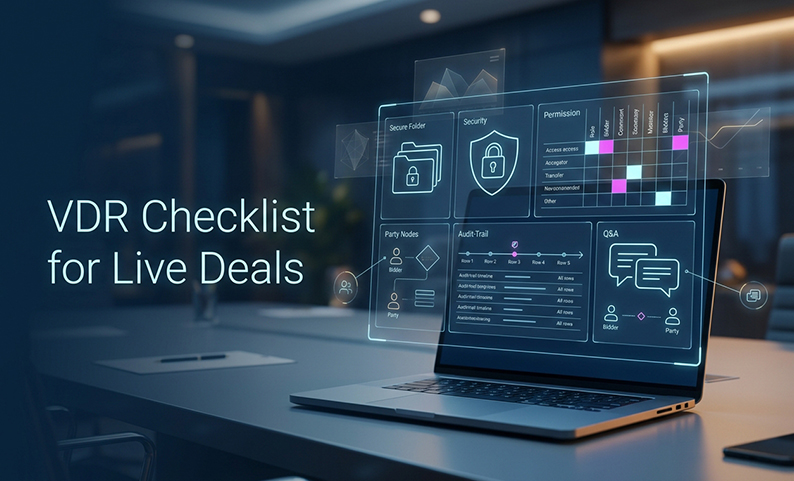
When a live deal is moving fast, the risk is rarely a dramatic hack. It is the smaller failure: the wrong bidder sees a folder, an old draft stays live, a junior spends hours redacting by hand, or no one can reconstruct who approved a disclosure later. That is why the best data room software for corporate law firms is not the flashiest room. It is the one that gives the firm provable matter-level control with less administrative drag.
The right way to evaluate a legal due diligence data room is with a matter-control stack: confidentiality, document review, transaction workflow, audit evidence, cross-border governance, and repeatable economics. This article gives you that checklist, plus a practical way to test any VDR for law firms before you commit.
Frame the solution: what a law firm VDR actually has to do
A corporate deal room is not just a secure folder. It has to support preparation before launch, controlled disclosure during diligence, and clean close-out after the matter ends. That means the platform must help the team classify documents, separate bidders, manage Q&A, and preserve an evidence trail without pushing work back into email and spreadsheets.
It also has to fit how legal teams actually work. Privileged analysis may need to stay internal. External groups may need different access by workstream. And a room that looks simple on a demo can become a mess once five bidders, two client teams, and multiple advisers are all inside it.
The standard to use is simple: can the platform enforce least privilege, support Q&A traceability, preserve audit-ready evidence, and keep the firm in control when the deal closes? If it cannot, it is not the right fit for live transaction work.
1. Can the VDR model the matter, the parties, and the information classes?
Start here, not with feature names. A good room should reflect the matter structure, not force your team into a generic folder dump.
Look for:
- Separate matters that stay isolated from one another
- Internal roles for partner, matter lead, associate, paralegal, administrator, IT, and security
- External groups for bidders, advisers, target management, bankers, accountants, and specialist consultants
- Clear data classes such as confidential, personal data, privileged, work product, and restricted
- A way to keep internal legal analysis separate from the external diligence set
- Templates that can be reused without turning every matter into the same rigid structure
What good looks like:
- A matter can be created from a controlled template
- Group changes do not spill into unrelated deals
- The room shows document classification, owner, version, and audience
- Different bidders can be handled without cross-visibility
What to reject:
- One undifferentiated folder for everything
- A design that forces duplicate files into email or personal drives
- A permission model that cannot separate competing bidders
This is the first gate for the best data room software for corporate law firms, because if the room cannot model the matter correctly, every later control becomes harder to defend.
2. Does the security architecture meet a law firm confidentiality standard?
Encryption matters, but it is only one layer. You need a platform that supports reasonable safeguards, not just a security label.
Check for:
- Encryption at rest and in transit
- Multi-factor authentication for users and administrators
- SSO or identity-provider support where needed
- Device approval and IP restrictions
- Logged privileged administrative actions
- Encrypted backups and defined recovery objectives
- Key handling that is documented and reviewable
- Incident-notification commitments and support-access controls
- Independent assurance such as ISO certification or a SOC report
DCirrus’s reviewed security material states 256-bit encryption at rest and in transit, TLS 1.2 and 1.3 connections, 256-bit AES for data disks, ISO 27001-certified data, multi-factor authentication, and device approval using a unique device ID. Those are meaningful controls to demonstrate in a pilot. But they still need current certificates, scope, and contract terms, not just a web page.
This is also where firms should remember a basic truth: encryption does not fix overbroad access or a bad privilege decision. A secure room can still be misused if the permission model is weak.
3. Can the firm enforce least privilege at folder and file level?
This is the control that keeps the wrong person from seeing the wrong document. It should be precise enough for live deal reality, not just broad enough for easy setup.
Test for:
- Folder-level and file-level permissions
- Role-based groups instead of one-off grants
- View-only access
- Separate rights for view, download, print, copy, upload, and share
- Visible permission inheritance
- A true no-access state
- NDA or terms acceptance before access
- One-click revocation when a bidder exits or a user leaves
- A permissions log showing who changed access and when
A practical bidder model should let you create groups like these:
- Firm core
- Corporate, finance, tax, employment, IP, privacy, and regulatory workstreams
- Client executives
- Bidder A, Bidder B, Bidder C
- Specialist advisers
- Internal-only legal analysis
The point is not to create a hundred groups. The point is to make the effective access pattern easy to review and hard to break. That is what turns a VDR for law firms into a control surface, not just a storage site.
4. Do DRM and sharing controls match the threat model?
Digital rights management is where law firms often discover whether a vendor is serious. A real transaction room should control what happens after access is granted, not just before it.
Check whether the platform can:
- Disable printing and copying
- Block or limit downloads
- Apply expiry dates
- Add dynamic watermarks
- Restrict sharing of room links
- Revoke access to protected files where supported
- Record failed attempts to print, download, or share
Product details for DCirrus state document-level controls for printing, copying, and sharing, plus expiry dates for downloaded files. That is useful, but the firm should still test exactly how those controls behave for the file types and devices it uses.
Be careful with the promise of remote revocation. It is a layer of protection, not magic. It may block access to a protected file, but it will not erase screenshots, photographs, retyped text, or converted uncontrolled copies. The same caution applies to watermarking. It helps attribution and deterrence. It does not stop someone from taking a picture of a screen.
5. Can the platform accelerate diligence without handing legal judgment to AI?
AI is useful when the room contains thousands of documents, but the goal is speed with control, not automation without review.
Test for:
- Bulk upload that preserves structure
- Deduplication or duplicate detection
- OCR and full-text search for scanned PDFs
- Clause, term, and metadata search
- Automatic indexing or categorization that a human can correct
- Version history
- Redaction that is permanent, not just visual
- Human-approved review workflows
- Clear policies on data training and processing
DCirrus product details describe smart indexing, automated categorization, clause recognition, metadata search, and AI-assisted redaction. That may be helpful for diligence teams, but it still needs a live demo and human validation. AI can triage. It cannot replace legal review.
The best test is simple: give the finalist low-quality scans, rotated pages, a contract with defined terms, and a document with sensitive data that must be permanently removed. If the room cannot handle those cases well, it is not ready for a real legal due diligence data room.
6. Can Q&A replace the email-and-spreadsheet failure mode?
For live deals, Q&A is not optional. It is where the room proves it can manage deal communication without turning every answer into a hidden email thread.
Look for:
- Separate visibility by bidder or external group
- Categories by workstream
- Assignment to owners and approvers
- Priority, due date, and status fields
- Draft answers that stay internal until approved
- Links to supporting documents without uncontrolled attachments
- Searchable, exportable archives
- Notifications that do not turn email into the system of record
The platform should preserve the full path of the question: who asked it, who answered it, who approved it, and what changed along the way. If that chain is missing, the room is still leaving your team in spreadsheet land.
7. Does the audit trail produce usable evidence, not just dashboard noise?
A dashboard is not an audit trail. A real audit trail should let the firm reconstruct what happened after the fact.
The log should capture:
- Login, logout, failed login, and MFA events
- User, group, IP address, device, and timestamp
- View, download, print attempt, copy attempt, upload, and share attempt
- Permission changes and revocations
- NDA acceptance
- Version uploads and replacements
- Q&A activity
- Administrator and support access
- Export, archive, and deletion events
Ask for a sample export, not a promise. You want named columns, stable document identifiers, version identifiers, time-zone clarity, and enough context to explain each event later. You also want the export to survive close-out, because the deal does not become less sensitive just because the room is shut.
This matters for the firm’s reputation as much as for compliance. When the client asks what happened, a usable log is the difference between confidence and guesswork.
8. Can the firm operate across jurisdictions and satisfy vendor-risk review?
Cross-border work adds a second layer of review. Data localization may help, but it is not the whole answer.
Ask:
- Where are primary files, replicas, backups, search indexes, AI processing, and audit logs stored?
- Can the matter restrict regions?
- Which subprocessors can access the data?
- What support access exists, and is it logged?
- Is there a DPA?
- What transfer mechanism applies where required?
- How are deletion and backup retention handled?
- Which certifications are current and in scope?
DCirrus positions regional data localization and says it hosts corporate data in the countries of the relevant jurisdiction. That is useful, but it is not the same as a full transfer analysis. The firm still needs the contract, the DPA, the subprocessors, and the support model.
The same rule applies across the market. An EU or UK server region does not, by itself, solve a legal obligation.
9. Are integrations, usability, and support good enough for live work?
A room that lawyers and bidders cannot use will drive work back into insecure channels. That is the practical test.
Check for:
- SSO and identity-provider integration
- Provisioning and deprovisioning
- API access if your team actually needs it
- Document-management and security-monitoring connections
- Export of indexes, Q&A, logs, and metadata
- Mobile and browser access
- Bulk upload and bulk permissions
- 24/7 support and a clear escalation path
- Training for admins and external users
DCirrus materials describe dedicated manager support and 24×7 call support, plus export of indexes with clickable file links and usage graphs in Excel format. Those are helpful operating details. Still, the real test is whether a second administrator can run the room without hidden expert knowledge.
Usability matters because bad workflows create shadow systems. Shadow systems create risk.
10. Can the pricing and operating model scale across multiple matters?
Price should be judged as total cost of control, not the headline rate. That means setup, storage, users, duration, support, exports, archives, and any add-ons all matter.
Request a quote that separates:
- Setup and project fees
- Storage or volume charges
- Internal and external users
- Administrator seats
- Duration and extension fees
- Export and archive fees
- OCR, AI, redaction, API, SSO, or premium support add-ons
- Migration and training
- Deletion and post-close retrieval
- Taxes and renewal terms
DCirrus states that its model is based on actual data volume and charged per GB rather than per page. That may fit some firms well, especially those that think in matter volume rather than page counts. But the firm still needs the actual rate, minimums, and overage terms before it can compare it fairly.
The same caution applies to every vendor on the list. Public prices are not directly comparable when the included users, support, and archives differ.
How to implement the selection process
Once the shortlist is ready, run the same proof-of-concept for every finalist. Do not select from a slide deck.
Use a sanitized but realistic test set:
- A scanned PDF with a handwritten note
- A long contract with amendments and a change-of-control clause
- A spreadsheet with personal data and sensitive pricing
- An internal memo that must never reach a bidder group
- A file with multiple redactions and an earlier version
- A document for Bidder A only
- A protected download that later gets revoked
- A Q&A set with duplicates and restricted questions
Then test:
- Matter isolation
- Least privilege
- Bidder segregation
- Offboarding
- DRM behavior
- Remote revocation
- Redaction
- OCR and search
- Versioning
- Q&A routing
- Audit export
- Data location answers
- Admin usability
- Close-out retrieval
A firm should also assign responsibility clearly:
| Activity | Partner / matter lead | VDR admin | Workstream owner | IT / security | Client owner |
|---|---|---|---|---|---|
| Approve disclosure scope | A | C | C | C | A/C |
| Set the template and index | A | R | C | C | C |
| Configure users and permissions | A | R | C | C | C |
| Classify, redact, and release | A | R | R | C | A/C |
| Answer diligence questions | A | C | R | I | C |
| Review audit exceptions | A | R | C | C | I |
| Handle incidents | A | R | C | R | A |
| Export and retain evidence | A | R | C | C | A |
This is the discipline that keeps a legal due diligence data room defensible across matters.
Common failures to avoid
The pattern behind most VDR problems is usually predictable.
- Everyone gets full-folder access
Fix it with role groups, effective-access previews, and second-person review. - Privilege is treated as automatic
Keep legal analysis separate and make disclosure decisions explicit. - AI redaction is treated as one-click compliance
Test on real scans and require human approval. - Remote revocation is treated as absolute deletion
Treat it as one layer, not the whole answer. - Email remains the real Q&A system
Keep material questions and approved answers in the room. - A dashboard is mistaken for an audit trail
Demand the raw export and the event detail. - Data localization is mistaken for compliance
Verify support, backups, subprocessors, and transfer terms. - The cheapest plan is assumed to be the cheapest matter
Compare the full operating scenario, not just the opening price.
These are the failure modes that turn a VDR for law firms into a source of friction instead of control.
Measurement and long-term practice
A law firm should treat VDR selection as an operating standard, not a one-off purchase. The right metrics help you improve the next matter instead of re-learning the same lessons.
Useful measures include:
- Time from engagement to review-ready room
- Time from review-ready room to first external invite
- Hours spent on permissions
- Hours spent on manual redaction and rework
- Correct classification rate
- Q&A response times
- Overdue or duplicate questions
- Permission exceptions
- Unusual access events
- Time to produce a close-out evidence pack
- Support response and resolution time
- Total cost per matter
Automation can help, but only if it creates review queues and accountability. That includes templates, access expiry, bulk upload, indexing, redaction suggestions, Q&A routing, and alerts for unusual activity. It should not erase the person responsible for the decision.
Summary and next steps
The best data room software for corporate law firms is the platform that can prove control at the matter level. That means matter isolation, least privilege, bidder segregation, Q&A traceability, audit evidence, cross-border governance, and repeatable close-out. Features matter, but only after the control model is sound.
The next step is not to buy from a brochure. Pick two or three finalists, load the same sanitized deal set, run the same acceptance tests, and review the security, privacy, and pricing package with the matter lead and firm security owner together. If a vendor cannot demonstrate the control in the room and explain it in the contract, it is not the right fit.
FAQ
What should a law firm prioritize first when choosing a VDR?
Start with matter isolation, least privilege, bidder segregation, MFA, downloadable-file controls, an exportable audit trail, Q&A traceability, data-processing terms, and a tested close-out process.
Is a VDR better than Dropbox, Google Drive, or ordinary file sharing for a live deal?
For controlled external disclosure, yes, if the VDR is built for it. Generic file sharing may work for collaboration, but it must prove it can handle bidder-specific permissions, audit evidence, and structured Q&A.
Does a VDR protect attorney-client privilege?
No. It can support confidentiality and reasonable safeguards, but privilege still depends on the lawyers’ judgment, the disclosure decision, and the matter facts.
Can a VDR stop screenshots?
Not universally. Some environments may support screen-capture controls, but no platform can guarantee that someone cannot photograph a screen or reproduce information manually.
Does remote shred delete a downloaded document?
It can revoke access to a protected download through the vendor’s controlled mechanism. It does not erase screenshots, photographs, copied text, or converted uncontrolled files.
How much does VDR software cost?
There is no universal price. DCirrus uses a per-GB model without publishing the rate, some vendors use custom quotes, and others publish storage-based or flat-fee starting points. Compare the full matter scenario, not just the entry price.
Do ISO, SOC, or GDPR claims prove compliance?
No. They are part of the review, not the full answer. You still need the DPA, scope, data locations, subprocessors, transfer terms, retention, and support-access details.
What should a Q&A module contain?
Bidder visibility, category, priority, status, assignee, due date, approval, supporting-document links, notifications, history, and export.
How should a firm test AI redaction and OCR?
Use real-world scans, rotated pages, tables, handwriting, and foreign-language documents. Search for known terms, inspect the output, and require human sign-off.
Which VDR is best for a corporate law firm?
It depends on the firm’s matter mix and control priorities. The right answer is the one that passes the same proof-of-concept and contract review across the finalists.
Want to see how a controlled VDR can simplify your next live deal?
Book a free DCirrus demo to walk through granular access controls, document protection, collaboration, audit readiness, and the workflow your legal team needs to manage sensitive transaction materials with confidence.
Latest Posts
Buyer Engagement Analytics in a VDR: What Deal Teams Can Track
August 17, 2026
12 VDR Features Required for IPO Preparation in India
August 13, 2026
What Bankers and Auditors Need From an IPO VDR in India
August 12, 2026