The Non-Negotiable VDR Feature Checklist for M&A Law Firms
One wrong permission setting. One document downloaded without DRM controls. One Q&A thread that migrates to email because the platform is too clunky. Any of these can turn a high-stakes deal into a career-defining incident.
The operational pressure just makes it worse. Associates burn hours on manual redaction. Version chaos erupts when documents update without clear notifications. Partners can’t tell which bidders are actually engaged.
A VDR isn’t just software you hope for the best with. It’s a risk-control system.
This article is your non-negotiable VDR feature checklist. It provides specific controls to verify and questions to ask so you can evaluate a VDR before it’s tied to a deal that matters.
Why Do M&A Law Firms Need a “Non-Negotiable” VDR Checklist Instead of Comparing Vendor Lists?
Lists of “top vdr providers” rank tools by market share or UI polish, not by their ability to manage risk. They won’t help you with a multi-bidder deal where a risk committee is waiting for an audit export.
What you need is a scorecard, not a sales deck. A checklist forces vendors to demonstrate their controls, not just describe them. It protects against:
- Accidental overexposure (bidders seeing folders they shouldn’t)
- Audit gaps (logs that exist but can’t be exported or explained)
- Admin drag (setup complexity that eats associate hours before diligence starts)
Any platform you consider should be able to map its features directly to these categories. Validation should be straightforward. That’s the standard to meet before you even start a pilot.
What Are the 7 Non-Negotiable VDR Feature Categories for M&A Due Diligence?
Group your requirements into these seven categories. Together, they cover security, workflow, and defensibility. A VDR must deliver on all three.
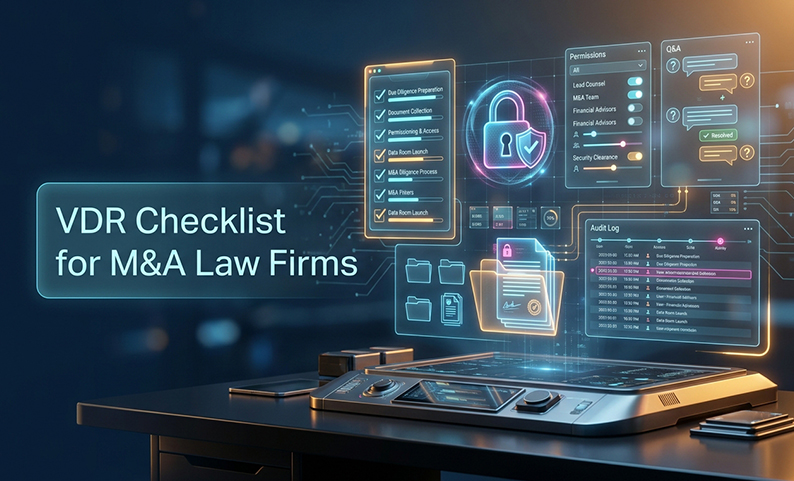
- Granular permissions and role design
- DRM controls for “after download” risk
- Watermarking and deterrence
- Audit trails you can export and use
- Structured Q&A workflow (traceable)
- AI-assisted document intelligence (practical, not magical)
- Compliance, data residency, deployment fit, and pricing clarity
1) What Permission Controls Do You Need to Prevent Accidental Exposure?
The risk isn’t usually a deliberate breach. It’s a misclick on a permission setting that gives a buyer access to a folder meant only for your internal deal team.
Verify this before you commit:
- Folder and file-level access (permissions must work at both levels)
- View-only defaults for sensitive documents
- Print/copy/download restrictions by role and folder
- Device-level approval before a new device can access the room
- IP address restrictions to limit access to approved networks
- MFA (multi-factor authentication) for all external parties
Practical setup tip: Build role templates before populating the room. Start with the least privilege possible for each role (buyer counsel, buyer finance, etc.) and only expand access when a specific, approved request is made.
2) What DRM Capabilities Matter Most When Files Leave the Room?
Permissions control access inside the platform. DRM controls confidentiality after a file is downloaded. This is where most VDR security conversations stop too early.
Verify these controls:
- Block printing, copying, and sharing at the document level
- Expiry dates on downloaded files, so access terminates on a set date
- 256-bit encryption for data in transit and at rest
Why does this matter? Advisors and counsel forward documents. When disputes happen, you need to know which version was circulating and when. DRM reduces leak risk and ambiguity.
Keep your verification simple: ask the vendor to demonstrate DRM settings on a sample document in a live environment. If they can’t show it in 10 minutes, the controls aren’t what they claim.
3) How Should Watermarking and Document Tracking Work to Deter Leaks?
Dynamic watermarking does two things: it deters casual leakage and it gives you a traceable record if a leak occurs.
A watermark that just says “Confidential” is security theater. A watermark that identifies the viewer, the time, and their IP address is a real deterrent.
What every watermark must include:
- User login or identity
- Timestamp of the view or download
- IP address of the access event
This should apply automatically on view and download. It means a photographed screen or an accidentally forwarded PDF can be traced back to the exact user session, which strengthens incident response.
4) What Should an Audit Trail Capture to Be Legally Useful?
“We have audit logs” is the VDR equivalent of “our security is enterprise-grade.” It tells you nothing useful.
What to verify:
- Page-level view tracking (not just file opens)
- Download and print events with timestamps and user identity
- Permission changes showing who changed what access and when
- Q&A activity, including submissions and answers
- Exportability in a format usable by clients, regulators, or for litigation
Test this. Ask the vendor to export an audit log from a demo room as an Excel file. It should be readable without special interpretation, showing user actions, timestamps, and document names.
Good logs help you spot signals like mass downloads or access from an unexpected IP. Your VDR should give you enough detail to see the anomaly, lock the user, and document what was accessed.
5) What Collaboration and Q&A Workflow Prevents Inbox Chaos?
Email-based Q&A consistently fails. Duplicate questions get inconsistent answers, deadlines slip, and there’s no audit trail.
A structured Q&A module is a control system, not just a convenience feature.
Must-haves:
- Centralized submission and response tracking
- Question assignment with ownership and deadlines
- Category tagging to organize by workstream
- An exportable Q&A record for the deal file
Designate one Q&A owner per deal and standardize the approval step so no contradictory answers go out. It’s basic, but it’s the step most teams skip when the process lives in email.
6) What AI Document Intelligence Actually Helps in Diligence?
Associates spend too much time searching scanned PDFs by filename and manually redacting documents. That’s the problem AI should solve, not legal judgment calls.
Useful AI in a VDR context:
- OCR and full-text search that works on scanned PDFs
- Clause recognition to flag relevant provisions
- AI-assisted redaction to reduce manual effort
- Smart indexing and categorization to speed up room setup
Questions to ask every vendor:
- Can AI features be turned off for specific rooms or users?
- What data is used to deliver AI outputs?
- How do you prevent cross-client data exposure in AI results?
Red flags: Vague claims about “proprietary AI,” no admin controls to disable features, and any claim that AI “handles” legal review rather than assists it.
7) What Compliance, Support, and Pricing Checks Should You Run Before Signing?
The best features don’t matter if the platform creates a compliance gap or the pricing blows up your budget.
Compliance and certifications:
- ISO 27001 certified data centers
- SOC 1, 2, and 3 reports available on request
- GDPR readiness for European deals; India DPDP support for India-linked deals
Support checks:
- What are guaranteed response times for critical issues?
- Does the vendor help with initial setup and migrations?
Pricing traps to verify in writing:
- Per-page fees
- Per-user models that explode with multiple bidder groups
- Archive and export fees at deal close
- Add-on charges for core security features (like DRM or watermarking)
Ask for a written pricing schedule tied to your expected deal size and user count. If the vendor resists, that’s your answer.
How Do You Implement This Checklist on a Live Deal?
Assign clear owners before the room goes live. Permissions, Q&A, and audit exports can’t be “everyone’s job.”
- Partner: Approves overall risk posture and bidder access policy.
- Senior associate: Designs permissions and governs the Q&A process.
- Paralegal/ops: Manages uploads, versioning, and notifications.
- IT/security (as needed): Handles MFA, IP policies, and incident response.
What Are the Most Common VDR Failures in M&A?
Most VDR disasters are predictable. Watch for these signals in week one.
- Signal: Overbroad permissions. If bidders mention seeing folders outside their scope, tighten roles immediately and default sensitive folders to view-only.
- Signal: Q&A happening in email. This leads to inconsistent answers. Enforce platform-only Q&A with no exceptions.
- Signal: Version confusion. If parties reference outdated documents, enforce strict version control and remove old versions from active view.
- Signal: Cost blowouts. Track usage against your contract weekly. Get all thresholds and overage rates in writing upfront.
Summary and Next Steps: What’s the Single Highest-Priority Move Before You Choose a VDR?
The goal is simple: defensible control at deal speed. Every category in this checklist either supports that goal or creates a risk.
Your highest-priority move is to schedule a 30-minute validation session with each vendor. Require them to demonstrate their permission model, DRM, watermarking, and audit log export on a sample folder tree. If they can’t show it live, it doesn’t exist the way the sales deck claims.
Frequently Asked Questions
What’s the difference between a VDR and secure cloud storage for M&A? Secure cloud storage controls access. A purpose-built VDR adds layers of control that persist after download, like DRM, dynamic watermarking, page-level audits, and structured Q&A. These are essential for M&A.
What permission structure works best for multi-bidder deals? Create separate role templates for each bidder group with no cross-group visibility. Within each group, segment by function (counsel, finance, advisors). Default to view-only and expand access only on explicit request.
Should we allow downloads in a data room? Yes, but with DRM controls. Expiry dates and restrictions on printing and forwarding let you permit downloads without losing control of the document.
What audit logs do clients and regulators typically expect? At minimum: who viewed which document and when, all downloads and prints, permission changes, and Q&A activity. The log must be exportable in a readable format like Excel.
How do we handle scanned PDFs and still search effectively? Require OCR (optical character recognition) as a baseline feature. Modern VDRs provide full-text search across scanned documents, not just file names. Test this with a sample scanned PDF.
How do we keep Q&A consistent across bidders? Route all questions through the platform’s Q&A module. Assign a single owner to approve all outgoing answers. Never allow direct email responses that bypass the module.
What certifications matter most when evaluating VDR providers? Look for ISO 27001 for data center security, SOC 2 for operational controls, and GDPR readiness for any European deals. For India-connected transactions, confirm DPDP Act support.
How should we evaluate AI redaction and clause recognition safely? Test it on a real document from your workflow. Ask the vendor how AI outputs are generated and if the features can be disabled. Confirm that AI assists redaction for attorney review, it doesn’t replace it.
What are the most common hidden fees in VDR pricing? Per-page charges, per-user fees that scale poorly, archive fees at deal close, and extra charges for security features that should be standard. Get a full fee schedule in writing before you sign.
Want to See How a VDR Should Handle Permissions, Audit Trails, and AI Redaction on a Real Deal Workflow?
Book a free demo focused on the checklist items that matter most to M&A legal teams—granular permissions and DRM, dynamic watermarking, exportable audit trails, structured Q&A, AI-assisted redaction, and data localization options. See the controls in action on a sample folder structure before you commit.
Latest Posts
Buyer Engagement Analytics in a VDR: What Deal Teams Can Track
August 17, 2026
12 VDR Features Required for IPO Preparation in India
August 13, 2026
What Bankers and Auditors Need From an IPO VDR in India
August 12, 2026