How Long It Takes to Launch a VDR for an IPO Mandate
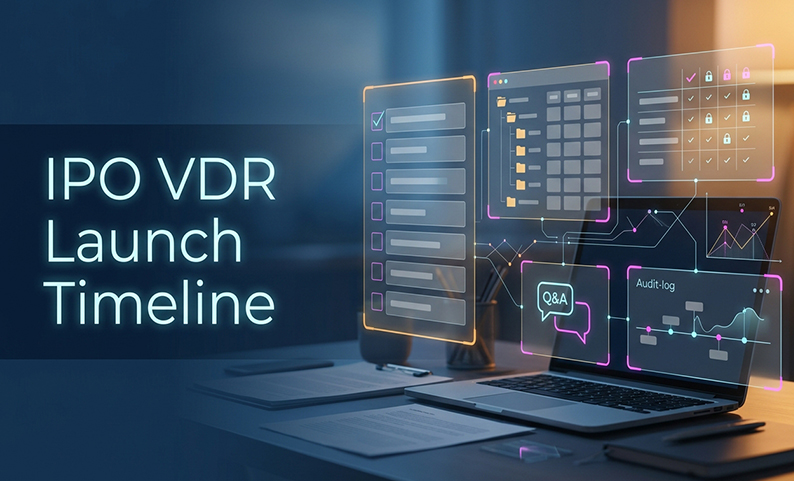
When an IPO schedule is tight, the dangerous mistake is treating a VDR launch as the same thing as a ready-for-external-access room. The software can exist fast. The real risk is inviting lawyers auditors registrars underwriters before content, permissions, Q&A, and governance have been tested.
The practical answer is simple: implement a virtual data room in stages, not all at once. This article gives you a seven-step framework for timing the launch, testing the controls, and deciding when external parties can safely enter the room.
Why a VDR launch takes longer than room creation
A provisioned room is not the same as an IPO-ready room. For an IPO mandate, the setup work is not just technical. It includes document cleanup, access design, onboarding, Q&A routing, and evidence that the controls actually work.
That is why the useful planning range is not “minutes.” It is usually:
- One business day in a best-case, highly prepared path
- Three to five business days for a standard controlled launch
- Five to ten business days for a complex or first-time implementation
The usual bottleneck is not creating the room. It is getting the first batch of documents into a usable state, deciding who may see what, and proving the audit trail will hold up later.
The 7-step IPO VDR launch framework
1. Define ownership and scope
Start with the people, not the platform. The merchant banker’s PMO or VDR administrator should own the launch checklist, invitations, permissions, and exports.
Do this first:
- Name issuer, legal, finance and audit, tax, operations and ESG, company-secretarial, compliance, and security owners
- List every external group that may enter the room
- Decide whether the room is for internal preparation, controlled diligence, or another approved phase
- Set data region, retention, legal hold, and evidence-export requirements
- Define the first external-entry milestone as a tested user journey, not room creation
This is the point where many teams lose time. If ownership is vague, permissions stay open-ended and the launch slips.
2. Build the folder structure and index
A room for IPO work needs a structure that matches how reviewers think. The taxonomy is not the same as a generic file share.
Use folders such as:
- Legal and Corporate
- Financial and Audit
- Operational and ESG
- Disclosure and Regulatory
- Process and Logs
Then build an index with fields such as:
- document ID and title
- folder and owner
- period or “as of” date
- confidentiality classification
- version and status
- date received and updated
- permission group
- request-list reference
- retention or legal-hold status
- related Q&A reference
A strong index matters because it tells people what a file is, who owns it, and whether it is safe to release. Without that, the room may be full, but not usable.
3. Ingest, index, and quality-check the first batch
This is where timing often stretches from hours into days. Even with smart indexing and OCR, the first batch still needs human review.
Before external access, confirm:
- files are readable and not corrupted
- passwords and duplicates are handled
- OCR works for scanned PDFs
- metadata is complete
- full-text and clause search return expected results
- AI categorization and redaction suggestions have been reviewed
- the release batch matches the request list
- missing or withheld files are recorded as exceptions
The rule is straightforward: do not invite externally until each release item has an owner, a version or status, a readable file, a searchable record, and a documented exception if needed.
4. Configure permissions, DRM, and authentication
This is where the room becomes safe to use. The launch should follow least privilege, with named identities and role-based groups.
Typical access design includes:
- issuer core team
- legal counsel
- auditors
- tax advisers
- registrars
- underwriters
- compliance and security reviewers
Then test the controls that matter:
- MFA and device approval
- folder and file-level permissions
- view-only defaults where appropriate
- print, copy, download, and sharing restrictions
- download expiry and remote revocation
- watermarking with user identity, timestamp, and IP fields
- encryption in transit and at rest
- separate admin and reviewer accounts
- permission-change logging
This is also where the keyword implement a virtual data room becomes real work. The room is not “implemented” until the access model, controls, and test results are all in place.
5. Onboard external users in stages
Do not onboard all external parties at once. Use waves.
A safer sequence is:
- Internal administrators and issuer owner
- Legal and finance or audit leads
- Tax, registrar, operations, and ESG advisers
- Underwriters and wider external reviewers
- Conditional users only after scope approval
For each user, confirm:
- name, organization, role, and business email
- NDA or engagement approval where required
- access group and expiry date
- individual invitation
- MFA and device approval
- first successful login
- expected folders are visible and unexpected folders are not
An invitation sent is not the same as onboarding complete. The user is only onboarded after authentication and scope confirmation.
6. Get Q&A ready before diligence starts
Q&A often becomes the hidden source of delay. If it lives in email, the process gets fragmented fast.
Set up one canonical thread per question with this flow:
Submitted -> triaged -> assigned -> draft answer -> review -> approved -> published -> closed
Capture:
- question ID
- submitter and time
- category
- linked document or version
- confidentiality
- owner and backup owner
- target date
- approval history
- final answer
- closure reason
Before go-live, test a full external-style question so you know the routing, notifications, approval, and export all work.
7. Pass governance and UAT before go-live
This is the final gate. If you skip it, you are not launching a controlled room.
Minimum checks should include:
- approved folder tree and index baseline
- user and permission matrix
- invitation and NDA records where relevant
- MFA and device test
- role-visibility test
- DRM, print, copy, download, and expiry test
- watermark and revocation test
- audit-log sample
- readable audit export
- Q&A test and owner list
- retention and deletion or legal-hold decision
- named signoff
A no-go signal is clear: if access has not been tested, logs cannot be exported clearly, revocation is untested, versions are uncontrolled, or no accountable approver has signed off, do not open externally.
Who owns what during launch?
The vendor supplies functionality and support. It does not take over the merchant banker’s business or regulatory accountability.
Here is the practical responsibility split:
| Activity | Merchant banker/PMO | Issuer | Legal | Finance/audit | Registrar/underwriter | Compliance/security | Vendor |
|---|---|---|---|---|---|---|---|
| Room structure and owner | A/R | C | C | C | C | C | C |
| Source documents | A | R | R | R | R | C | I |
| Index and version quality | A/R | C | C | C | C | C | C |
| Permission matrix | A/R | A/C | C | C | C | C | I |
| Security and DRM tests | A/R | C | C | C | C | R/A | R/C |
| Q&A and answer approval | A/R | A/C | R for legal | R for financial | C | C | I |
| Evidence export | A/R | C | C | C | C | R/A | R/C |
| Invitations and revocation | A/R | A/C | C | C | C | C | I |
| Go-live signoff | A | A/C | C | C | C | R/C | I |
The main takeaway is simple: the merchant banker owns the launch, while the issuer and advisers own their content and review decisions.
Common failures to avoid
These are the mistakes that usually turn a fast launch into a slow one:
- Inviting before testing
- Treating the folder tree as the index
- Trusting AI without review
- Promising screenshot prevention
- Giving everyone room-wide access
- Leaving Q&A in email
- Assuming any audit log is enough
- Confusing a provider’s provisioning claim with a real project plan
- Confusing the commercial VDR with the exchange repository
- Deleting at close instead of preserving records under retention and hold rules
If you avoid these, you reduce launch friction and make the room easier to defend later.
How this fits a larger IPO operating model
A good VDR launch is not only about speed. It is about making the diligence process measurable and repeatable.
Track:
- kickoff-to-first-approved-login
- time from receipt to searchable release
- percentage of indexed release documents
- permission-test failures
- audit-log coverage
- revocation time
- Q&A assignment time
- questions handled outside the room
- administrator hours
- support requests
- launch exceptions
That gives the team a real baseline. It is much better than repeating a provider time claim without checking whether the room is actually ready.
Summary and Next Steps
For an IPO mandate, the right answer is not “the room can be created in minutes.” The right answer is that provisioning can be fast, but controlled readiness usually deserves three to five business days.
Use a staged launch:
- define ownership
- build the index
- clean and test the first batch
- configure permissions and DRM
- onboard in waves
- prepare Q&A
- pass governance and UAT
The highest-priority next step is a 30-minute validation session using a sample IPO folder tree and test identities. That is the fastest way to see whether the room is truly ready for external parties.
FAQ
How long does it take to launch a VDR for an IPO mandate?
Plan three to five business days for a standard controlled launch, one business day for a highly prepared fast path, and five to ten business days for a complex or first-time implementation.
Can it be done the same day?
A room can be provisioned the same day. Same-day external access only makes sense if all role, security, Q&A, audit-export, residency, and signoff tests pass.
What usually causes delay?
Dirty source files, unresolved permission decisions, missing approvals, vendor or security review, identity onboarding, and repeated UAT usually take longer than creating the room.
Who should own the launch?
The merchant banker’s PMO or designated VDR administrator should own the checklist and invitations. The issuer and advisers own their content and review decisions.
Should all external parties get access at once?
No. Use staged onboarding and separate scopes for legal, audit, tax, registrar, and underwriting work.
What must be tested before go-live?
MFA, device approval, role visibility, search, download, print, copy controls, watermarks, expiry, revocation, permission logging, Q&A routing, and audit export.
Does a VDR automatically satisfy SEBI requirements?
No. It supports controlled evidence and collaboration. The merchant banker’s due diligence and the separate exchange document-repository process still remain obligations of the responsible parties.
How should Q&A be managed?
Use one canonical thread per question, with an owner, linked document or version, approval state, response target, and exportable history. Do not rely on email as the only record.
What is the biggest no-go signal?
Do not invite externally if access has not been tested, logs cannot be exported clearly, revocation is untested, versions are uncontrolled, or no accountable approver has signed off.
Need to prove your IPO VDR is ready before external users enter?
Book a free demo and validate folder permissions, DRM, watermarking, audit-log export, Q&A traceability, and data-localization options against a sample IPO structure before you open the room.
Latest Posts
How Long It Takes to Launch a VDR for an IPO Mandate
August 06, 2026
VDR Features Merchant Bankers Need for IPO and M&A Execution
August 05, 2026
Top Deal Management Features to Look for in a VDR
August 03, 2026