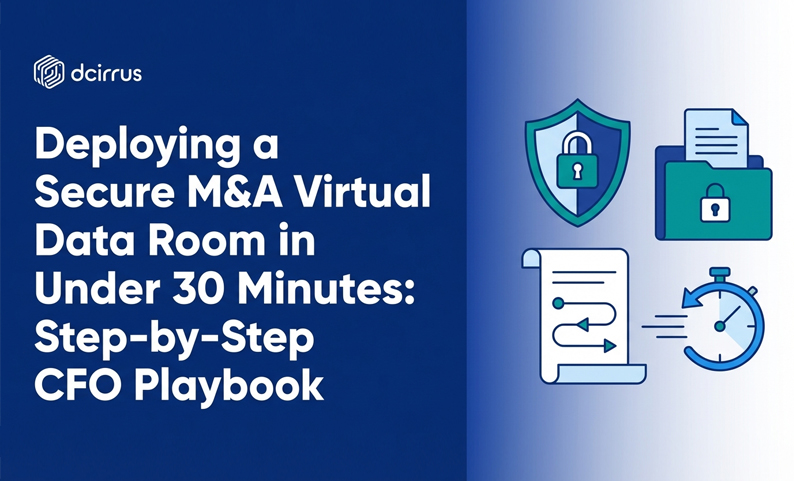
Deploying a Secure M&A Virtual Data Room in Under 30 Minutes: Step-by-Step CFO Playbook
When a deal moves fast, your data room can’t be the bottleneck. Or the weak link. As CFO, you’re the transaction leader balancing deal velocity, airtight security, and audit-ready governance. The good news? You can stand up a secure M&A virtual data room in under 30 minutes if you focus on the right controls first, use a repeatable folder hierarchy and coordinate the right people before you start the clock.
Below is a CFO-first, time-boxed playbook for rapid deployment without sacrificing permission management or encryption basics.
Why should CFOs lead rapid secure VDR deployment in M&A?
A virtual data room touches every high-risk area of a transaction. Financial reporting, forecasts, customer contracts, legal exposure, HR data and IP. In practice the VDR is the operational system governing buyer scrutiny during due diligence.
CFO-led deployment matters because the CFO owns the risk posture of financial disclosure. If a model or board deck leaks, it’s a valuation and governance problem (not merely an IT incident). The CFO sets the standard for what “good” looks like in deal review. Buyers judge process maturity quickly. A well-structured deal room signals readiness; a messy one creates friction.
Security and speed are a finance trade-off, not a technical one. If security slows the deal, finance gets pressure. If speed creates a security gap, finance carries the consequence.
Your job isn’t to configure every setting personally. It’s to ensure the essentials are enabled immediately, the right owners are assigned and the launch is verifiable.
What security features should you enable immediately?
In a 30-minute deployment not every feature is mandatory on minute one. But some controls are “turn on now” items because they reduce exposure immediately and create a clean audit trail from the first viewer.
Prioritize these at launch:
- Encryption (at rest and in transit). Your VDR should protect files stored in the repository and while being accessed.
- Two-factor authentication. Enable multi-factor authentication so compromised passwords don’t become compromised deal documents.
- Device-level approvals. Lock access to known devices (practical when onboarding multiple external parties quickly).
- Role-based permissions. Start with role-based access, then apply folder- and file-level permissions where needed for sensitive sub-sets.
- Digital Rights Management. Limit printing, copying and forwarding behaviors, especially important for financial models and customer contracts.
- Watermarking and document tracking. Dynamic watermarks discourage leakage and make it easier to investigate issues if something spreads outside the room.
- Audit trails. Turn on comprehensive logging from the start so every access event is recorded for internal oversight.
If your virtual data room supports device-level approvals and two-factor authentication you can lock down access quickly without adding administrative complexity.
How do you deploy a secure VDR in 30 minutes?
This is the “start the timer” sequence. The goal is not perfection. It’s a secure, usable deal room that supports due diligence immediately with clear owners for post-launch refinement.
Pre-deployment preparation and team coordination
Before you touch the platform spend a few minutes aligning the people and inputs that prevent rework.
Assign these roles:
- CFO (you): final approver for structure, access model and “go live”
- Finance lead: document owner for financials, forecasts, cap table, debt and audits
- Legal lead: document owner for corporate, litigation, IP, material contracts and compliance
- IT/security lead: authentication, device approvals, IP restrictions (if used) and admin hardening
Agree on two decisions before launch. Which stakeholders are getting access today (keep wave 1 small and add others after initial verification). And what’s mandatory vs optional for day one.
Gather the minimum starting materials: a deal name and internal project code, your initial folder structure template, a first upload batch (even if incomplete) and the initial user list with roles.
Initial VDR setup and platform configuration (0-10 minutes)
In the first 10 minutes focus on establishing a secure perimeter and the basic room settings.
Actions to complete:
- Create the virtual data room and name it clearly. Use a consistent naming convention so exports and audit records stay unambiguous.
- Set administrator accounts (use more than one admin). Assign at least two admins to avoid bottlenecks.
- Enable two-factor authentication globally for all users if possible.
- Enable device-level approvals to prevent credential sharing across unknown devices.
- Confirm encryption is active and connections are secure. Treat this as a go/no-go check.
- Turn on audit trails so user activity logging is enabled from minute one.
- Set baseline DRM controls. At minimum decide whether printing and downloading are allowed for external roles.
CFO checkpoint at minute 10: you should have a secure repository with admins in place, 2FA enabled and audit logging active.
Folder structure and document upload (10-20 minutes)
This is where speed comes from. A repeatable folder hierarchy and a “good enough” first batch upload.
Use a practical M&A-ready folder hierarchy:
- Corporate
- Financial
- Tax
- Legal and Compliance
- Commercial and Customers
- HR
- IT and Security
- Intellectual Property
- Operations
Apply simple file naming conventions immediately. Use dates in a consistent format (YYYY-MM-DD), include version cues (v1, v2, Final) and keep document titles descriptive enough that a buyer can self-serve.
Upload approach for the 10-minute window: prioritize items that unblock buyer scrutiny. Financial statements, forecasts, cap table summary, debt schedule, key customer contracts, org chart and corporate formation basics. Use bulk upload and automated indexing where available. If your platform supports automation let it create structure and searchable indexes quickly.
If your VDR includes AI-powered document intelligence enable smart indexing early so files become searchable as soon as they land.
User access and permissions configuration (20-25 minutes)
Now you control exposure. The fastest safe approach is to start role-based and then tighten with exceptions.
Set up roles such as internal admin, internal finance, internal legal, buyer team, buyer legal counsel, financial advisors and auditors (if involved).
Then apply permission management rules:
- Default to least privilege for external roles. Give buyer roles access only to the folders they need for the current transaction phase.
- Use folder-level permissions first. This is faster and less error-prone than setting per-file permissions during initial deployment.
- Add file-level restrictions only for highly sensitive items such as pricing, employee PII or competitive strategy.
- Confirm device approvals and 2FA enforcement on external roles.
CFO checkpoint at minute 25: you should be able to describe in one sentence per role what that role can access and what they cannot.
Final security checks and compliance verification (25-30 minutes)
Use the last five minutes to verify that what you intended is what you launched.
Run these final checks:
- Audit trail verification. Confirm the platform is recording logins, views, downloads and permission changes.
- Watermarking. Turn on customizable watermarking for sensitive folders.
- DRM validation. Test a sample document as an external-style user to confirm restrictions work.
- Redaction readiness. Identify folders where redaction is required before expansion of access.
- Data localization selection. Confirm server region choice aligns with your regulatory needs.
- Go-live sign-off. The CFO signs off that the room is secure enough for the first wave of buyer scrutiny.
Activating granular watermarking and comprehensive audit trails from the outset helps maintain document integrity without requiring a long setup cycle.
How does AI-powered document intelligence accelerate due diligence?
AI-powered tools are most valuable when they reduce manual effort in the parts of due diligence that slow teams down. Finding the right document, locating the right clause and confirming whether something exists at all.
In a rapid deployment focus AI on “time-to-searchability”:
- Smart indexing and metadata search. Make your initial upload batch searchable immediately so finance and legal can respond to buyer questions faster.
- Automated categorization. If the system can suggest where documents belong it reduces misfiling.
- Clause recognition. Useful for quickly locating common terms in contracts during deal review.
- AI-assisted redaction. This can speed preparation of documents containing sensitive personal data or confidential terms (with oversight).
A CFO-friendly way to govern AI in the deal room: treat AI outputs as accelerators, not final judgments. Keep a human review step for anything that changes disclosure or influences negotiation posture.
What are best practices for investor Q&A and collaboration from day one?
A deal room isn’t only documents. It’s also the workflow around questions, clarifications and version control. If that collaboration happens in email you lose control, create version confusion and increase leak risk.
To set up secure collaboration immediately:
- Enable a structured Q&A forum. This keeps buyer questions, CFO answers and supporting documents in one place with a record of what was asked and when.
- Assign Q&A roles. Decide who can ask, who can draft responses, who can approve responses and who can publish.
- Use secure messaging and commenting to keep deal communications inside the secure online repository.
- Turn on notifications for uploads and changes to reduce repetitive “did you upload it yet?” pings.
- Use version control so when a model or disclosure schedule changes, buyers don’t review outdated files.
A simple day-one Q&A workflow: Buyer asks question in the VDR → Finance or legal drafts response → CFO approves → Response is published with linked supporting documents.
What are common challenges in fast M&A data room setup?
Fast setups fail for predictable reasons. Here are common pitfalls and practical ways to prevent them.
Pitfall: unclear ownership of document categories.
Fix: assign a single accountable owner per folder (finance, legal, HR, IT) so uploads don’t stall.
Pitfall: permission mistakes that expose sensitive folders.
Fix: start with role-based access and least privilege; test with a “buyer-view” user before expanding access.
Pitfall: inconsistent file naming that slows buyer scrutiny.
Fix: enforce a simple naming convention from the first upload.
Pitfall: over-sharing to avoid back-and-forth.
Fix: create phased disclosure. Open the minimum required for the current transaction phase and expand based on Q&A.
Pitfall: collaboration happening in email and spreadsheets.
Fix: turn on secure Q&A, messaging and version control so the system of record stays in the VDR.
What technology platform features support ultra-fast CFO-led deployment?
Not every platform makes a 30-minute launch realistic. If speed is a hard requirement prioritize capabilities that reduce manual administration while improving control.
Platform features that directly support rapid, secure deployment:
- Fast role-based permissions at folder and file levels for quick application
- Two-factor authentication and device-level approvals to onboard external stakeholders rapidly
- Digital Rights Management controls to prohibit printing/copying and to set expiry dates on downloaded files
- Customizable watermarking and document tracking to discourage leakage
- Exportable audit trails and reports for producing activity evidence
- AI-powered document intelligence for smart indexing, automated categorization and metadata search
- Built-in Q&A and secure messaging to keep sensitive collaboration in the platform
If you’re evaluating DCirrus Virtual Data Room specifically its device-level approval, multi-factor authentication options, DRM controls, customizable watermarking, AI-powered document intelligence and exportable audit trails are examples of features that map well to CFO-led rapid deployment.
What are CFO’s post-deployment control tips?
Launching the VDR is only the start. CFO control after go-live should focus on maintaining security and keeping the deal moving.
Practical post-deployment habits:
- Run a daily permission audit during peak due diligence. Review newly added users, permission changes and any unusual activity.
- Keep stakeholder onboarding disciplined. Add users in waves aligned to deal phases rather than opening everything to everyone.
- Use the audit trail actively. Monitor download spikes, repeated access to sensitive folders and off-hours activity patterns.
- Standardize responses in Q&A to avoid contradictory answers by using a single approved response and linking supporting documents.
- Maintain version control on financial models so buyers don’t lose confidence when numbers shift without a clear trail.
CFO’s Rapid Deployment Security Checklist
Use this checklist immediately after your 30-minute deployment to confirm readiness:
- VDR created with clear deal naming convention
- At least two administrators assigned
- Two-factor authentication enabled
- Device-level approvals enabled (if available)
- Encryption confirmed for data at rest and in transit
- Audit trails enabled and capturing user activity
- Baseline DRM controls set
- Watermarking enabled for sensitive folders
- Folder structure created using a consistent hierarchy
- File naming conventions applied to initial uploads
- Minimum viable due diligence documents uploaded
- Role-based permissions configured for internal and external roles
- “Buyer-view” test completed to validate access boundaries
- Q&A workflow enabled with owners assigned
- Version control enabled for frequently updated files
- Data localization/server region selected if required
- Compliance alignment reviewed for applicable regimes
FAQ
How can a CFO deploy a secure M&A virtual data room in under 30 minutes?
Time-box it into five blocks: pre-alignment, initial setup, folder structure and upload, permissions and final verification. The biggest accelerators are pre-assigned document owners, a reusable folder hierarchy and role-based permissions applied at the folder level.
What security features should be prioritized during rapid VDR deployment?
Prioritize encryption, two-factor authentication, device-level approvals, audit trails, role-based permissions, DRM controls and watermarking. These reduce immediate risk and create an evidence trail from the first access event.
How does AI-powered document intelligence accelerate M&A due diligence?
AI-powered document intelligence can make newly uploaded files searchable faster through smart indexing and metadata search. It can also support automated categorization and clause recognition so legal and finance teams can locate key information quickly with human oversight for disclosure-impacting decisions.
How can CFOs ensure regulatory compliance when deploying a data room quickly?
Focus on day-one controls that support compliance: audit trails, least-privilege access, data localization choices where needed and documented governance for permissions and Q&A. Expand your compliance review after launch without interrupting deal momentum.
What are the most common pitfalls in fast VDR deployment and how can they be avoided?
Common pitfalls include permission errors, unclear folder ownership, inconsistent naming and moving Q&A to email. Avoid them by using role-based access, assigning a single owner per folder, enforcing simple naming rules from the first upload and using built-in Q&A and version control.
How can secure Q&A workflows be set up for multi-stakeholder collaboration from day one?
Enable the VDR’s Q&A forum and assign clear roles: who can ask, draft, approve and publish responses. Keep supporting documents linked inside the platform and use notifications so stakeholders stay aligned without relying on email threads.
What platform features best support ultra-fast CFO-led virtual data room setup?
Look for fast role-based permissions, 2FA, device-level approvals, DRM, watermarking, exportable audit trails, AI-powered indexing/search and built-in secure Q&A. These features reduce manual work while improving control and audit readiness.
Ready to secure your transactions?
Book a free demo of DCirrus Virtual Data Room today and experience enterprise-grade data protection with encryption, access controls, and compliance-ready localization.
Latest Posts
Buyer Engagement Analytics in a VDR: What Deal Teams Can Track
August 17, 2026
12 VDR Features Required for IPO Preparation in India
August 13, 2026

What Bankers and Auditors Need From an IPO VDR in India
August 12, 2026