Staying Audit-Ready Under DRHP Timeline Compression: 3 Controls and 3 Weekly Rituals That Preserve Traceability
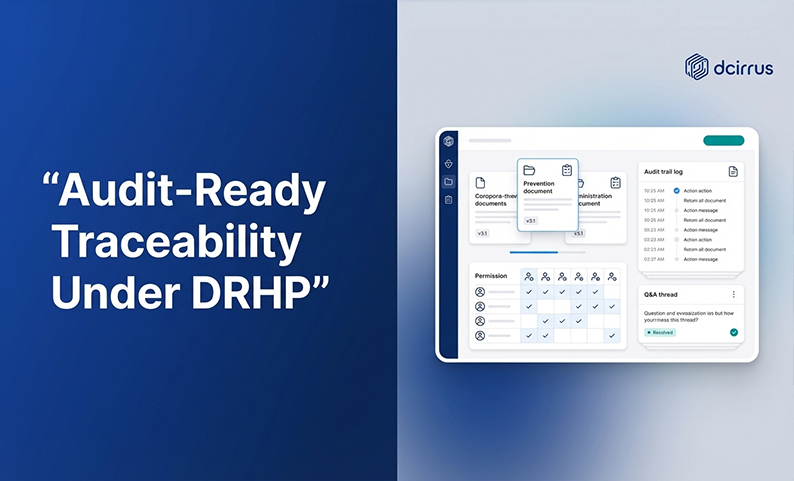
When DRHP timelines compress, teams don’t usually “run out of effort.” They run out of traceability. Documents move faster than the evidence around them: who approved what, which version was final, what was shared externally, what questions got resolved (and when).
The result? Last-minute audit scrambles, scattered email threads, unclear ownership, and gaps in documentation lineage right when you need inspection readiness most.
Audit readiness under DRHP compression is less about heroic catch-up work. It’s more about repeatable controls plus weekly rituals that keep your audit trail intact while the deal accelerates.
Understanding the Challenges of DRHP Timeline Compression
DRHP preparation pulls multiple workstreams into the same narrow window. Legal drafting, financial diligence, governance documentation, risk disclosures, stakeholder reviews. Under normal pacing teams can recover from minor process breaks. Under compression? The breaks stack up.
Common pressure points that hurt compliance readiness and data integrity:
- High-frequency document churn: Repeated edits, replacements, and “final-final” versions create uncertainty about what is current and what was relied upon.
- Many parties, uneven coordination: Merchant bankers, counsel, auditors, registrars, internal finance, and leadership all need access. Often at different levels and times.
- Security risk rises with speed: Rushed sharing increases the chance of mis-permissioning, uncontrolled downloads, and accidental over-disclosure.
- Evidence gets lost outside the system: When approvals and clarifications happen in email or chat you lose a defensible audit trail.
- Static governance in a dynamic timeline: Roles change, reviewers rotate, and escalation paths evolve. Yet access controls and workflows often don’t.
The goal isn’t perfect paperwork. The goal is defensible traceability. You can reconstruct decisions, versions, access, and communications without guessing.
The 3 Essential Controls to Preserve Audit Traceability Under Compressed Schedules
These controls are designed specifically for timeline compression. They reduce the surface area for mistakes and make evidence capture automatic (not optional).
How to implement granular access control with dynamic permission management
In compressed DRHP cycles access needs change weekly. Sometimes daily. If permissions aren’t dynamic you end up with two bad options: slow everything down with over-restriction or create risk with broad access.
A granular access control protocol should define:
- Role-based permissions at folder and file level (not “everyone gets everything”)
- Stage-based access tied to deal phases like drafting, diligence, verification, submission readiness
- Least-privilege defaults so new users don’t inherit unnecessary visibility
- Clear ownership for approvals and access decisions using a delegation of authority log
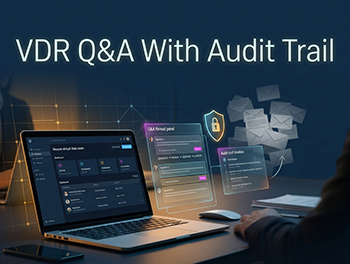
In a secure document repository or Virtual Data Room this control becomes practical. Administrators can manage access centrally, apply role-based permissions, and enforce requirements like two-factor authentication or IP restrictions. The traceability benefit is simple. Access decisions become part of the governance record (not a series of one-off email instructions).
Setting up automated, immutable audit trails with real-time reporting
Manual tracking fails under compression because it creates a parallel system that’s always behind reality. Audit preparedness improves when the system captures evidence continuously:
- Who uploaded a document
- Who viewed it and when
- Who downloaded it
- What changed (version history)
- What communications occurred around it
The control you want? Automated audit trail capture plus real-time reporting that can be reviewed on a set cadence. “Immutable” here means the log is system-generated and resistant to casual alteration, so it functions as reliable documentation lineage.
This control should include an agreed definition of “audit-relevant events” (uploads, replacements, access grants, Q&A answers, exports), a single source of truth for logs, and a standard report format that can be exported without custom work every time.
When audit trails are automated teams stop spending limited time recreating history. Instead they spend time fixing actual gaps.
Embed integrated Q&A and collaboration workflow controls into your process
Under DRHP compression questions are inevitable. What breaks traceability is where those questions live.
If clarifications, approvals, and interpretations happen across emails, spreadsheets, and chat threads you can’t confidently prove which question was answered, whose answer was accepted, what document the decision referenced, or whether the answer changed later.
An integrated Q&A and collaboration workflow control keeps discussions attached to the deal record. The control should specify a single channel for diligence Q&A (not email), moderation rules (who can ask, who can answer, who can mark resolved), response-time expectations, and linking Q&A items to the relevant document and version.
A platform with built-in Q&A forums, document commenting, automated notifications, and version control makes this control enforceable without adding administrative overhead.
3 Weekly Rituals That Sustain Audit Readiness and Prevent Scrambles
Controls define the “rules of the road.” Weekly rituals are how you keep those rules alive when the schedule is aggressive.
These rituals are intentionally lightweight. They aim to protect traceability without turning the team into full-time process police.
Weekly Audit Trail Review and Compliance Self-Assessment
This ritual is a 30 to 45 minute inspection readiness checkpoint. The purpose? Catch traceability gaps while they’re still cheap to fix.
What to review weekly:
- Audit trail completeness for the week (are key events being captured where you expect?)
- Anomalies like unexpected downloads, unusual access patterns, missing version history
- Documents that moved fast (high churn areas where lineage is most likely to break)
- Open control issues (anything the team agreed to fix last week)
What to produce: a short written log of findings and actions. Even a simple entry like “Reviewed logs; 2 permission anomalies corrected; 3 Q&As linked to revised doc versions” works.
This becomes your running evidence that compliance monitoring is ongoing, not a last-minute drill.
Permission and Access Control Verification
Permission drift is one of the most common causes of audit readiness gaps during compression. People join late, reviewers rotate, advisors change. Temporary access often becomes permanent by accident.
Your weekly permission verification should include:
- Confirming that user lists match the current stakeholder roster
- Removing stale accounts or access that is no longer needed
- Validating that sensitive folders are still restricted correctly
- Checking whether any emergency access grants were made and need tightening
If your environment supports device approvals, IP restrictions, and two-factor authentication include a quick verification that these requirements are being applied consistently for external parties.
This ritual is also where you align access controls with the delegation of authority log so permissions reflect actual role assignments. Not assumptions.
Cross-Functional Coordination and Q&A Forum Moderation
Compressed timelines fail in the seams between teams. A weekly cross-functional coordination ritual reduces seam risk by forcing alignment on what changed and what’s blocked.
Invite only the core owners (keep it small) but ensure representation across legal/counsel coordination, compliance/audit readiness, deal/project management (document controllers), and finance diligence leadership.
Weekly agenda (simple and repeatable):
- Document status: what’s new, what changed, what is “final” this week
- Unresolved Q&A: what is stuck, who owns responses, what requires escalation
- Upcoming milestones: what must be ready next week to avoid crunch
- Traceability risks: any approvals, exceptions, or off-platform discussions that need to be pulled back into the system
Moderation matters. If Q&A is in a forum but nobody curates it you still get backlog and ambiguity. Just in a new place.
What metrics or KPIs should teams monitor weekly to gauge audit readiness health?
Under DRHP compression teams need a fast way to answer: “Are we audit-ready this week?” Not “Are we generally doing okay?” That means moving beyond vague confidence to operational targets and measurable indicators.
Key Performance Indicators (KPIs) to Track
Use KPIs that directly reflect traceability and control execution. Examples that work well in compressed deal timelines:
- Audit trail completeness rate: percentage of critical documents with complete access/activity logging and version history captured
- Q&A backlog count: number of unresolved questions in the integrated Q&A forum
- Q&A aging: how long questions stay open before resolution
- Permission alignment rate: percentage of users whose access matches their current role assignment and deal stage
- Time-to-close control issues: how quickly you resolve anomalies found in audit trail reviews
- “Off-platform” exceptions: count of decisions/approvals that happened outside the system and needed to be re-documented
Pick a small set and track them weekly. The win is early warning, not perfection.
Using a Weekly Audit Readiness Health Scorecard
A scorecard is a one-page snapshot that leadership can understand quickly. It’s also a forcing function (it makes weekly rituals harder to skip).
A practical weekly scorecard can include:
- Green/Amber/Red status for each control area like access control, audit trail, Q&A workflow
- Top 3 risks discovered this week
- Top 3 actions committed for next week (with named owners)
- Exceptions log: what happened outside the standard workflow and how it was corrected
If you keep this consistent for several weeks you build an evidence trail of oversight and continuous monitoring. Useful for both internal assurance and external scrutiny.
Operationalizing Technology to Support Controls and Rituals
Controls and rituals can be documented in SOPs, but they become real when technology makes the compliant path the easy path.
A virtual data room can serve as the secure document repository where traceability is created by default. Permissions, audit trails, version control, and collaboration all happen in one system rather than across tools.
Leveraging VDR Security Features Like DRM and Watermarking
Timeline compression often tempts teams to relax security (“just send it quickly”). DRM and watermarking let you keep speed without losing governance.
Common security measures that support traceability and audit preparedness:
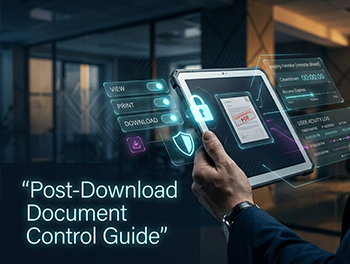
- DRM controls to restrict printing, copying, and sharing
- Expiry dates on downloaded files to reduce long-tail exposure
- Dynamic watermarks that identify the viewer and time of access
- Encryption in transit and at rest to protect confidentiality during heavy sharing
The point isn’t only data protection. These features also reinforce documentation lineage by discouraging uncontrolled redistribution and making access patterns attributable.
What are practical steps to automate audit trail documentation?
The most sustainable approach under compression is automation that feeds your weekly rituals.
Examples of what to automate:
- Scheduled audit trail exports for weekly review
- Usage and activity summaries (views/downloads) to spot anomalies quickly
- Recurring permission review outputs (who has access to what) to reduce manual cross-checking
- Index exports so teams can validate completeness and organize evidence without rebuilding lists
When reporting is automated weekly reviews become routine rather than a mini-project.
Embedding Q&A Forums and Collaboration Tools into Workflow
The fastest way to lose traceability? Let email become the system of record.
To embed collaboration properly:
- Route all diligence questions into a structured Q&A forum
- Require that answers reference the exact document and version
- Use document comments/annotations for context that must stay attached to the file
- Rely on automated notifications to keep response cycles moving without separate follow-ups
This reduces email chaos and creates a defensible record of how issues were raised, resolved, and incorporated into documentation.
Common mistakes with audit readiness under timeline pressure
Compression doesn’t create new problems. It amplifies existing ones. These are the most common failure modes that undermine traceability.
Risks from Overreliance on Manual Processes and Email
Manual trackers and email approvals feel fast in the moment but they create two hidden costs: lost lineage (you can’t reliably reconstruct which version or decision was final) and unverifiable completeness (you don’t know what you missed until late).
If a decision must be audit-defensible treat it as “system-recorded or it didn’t happen.” That mindset is what turns audit readiness into an operational discipline.
Coordination Breakdowns Across Legal, Compliance, and Deal Teams
When ownership is unclear teams duplicate work or leave gaps between handoffs. Typical symptoms? Multiple “final” versions across stakeholders, Q&A answered in one thread but not reflected in the document, and approvals assumed rather than recorded.
The fix is not more meetings. It’s a standing weekly cross-functional ritual with a clear agenda, named owners, and a single system where artifacts live.
Failure to Adjust Controls Dynamically as Deal Intensity Changes
Static permissions and stale workflows are especially dangerous when external parties join late in the process.
Watch for broad access granted early “temporarily” and never tightened, downloads enabled by default when view-only would suffice, and new folders created outside the standard structure (bypassing governance).
Dynamic permission management and weekly access verification prevent these issues from becoming last-week emergencies.
Quick Start Checklist: 3 Controls and 3 Weekly Rituals for Immediate Implementation
Use this as a ready-to-run framework for compressed DRHP preparation.
3 Essential Controls
- Granular access control with dynamic permission management aligned to role assignments and deal stage
- Automated, immutable audit trails with real-time reporting for access, downloads, uploads, and versions
- Integrated Q&A and collaboration workflow controls to keep decisions and clarifications inside the system of record
3 Weekly Rituals
- Weekly audit trail review and compliance self-assessment with a short written action log
- Permission and access control verification to prevent permission drift and reduce security risk
- Cross-functional coordination and Q&A forum moderation to unblock diligence and preserve traceability
Staying Audit-Ready When Every Day Counts
DRHP timeline compression rewards teams that treat audit readiness as a weekly operating system (not a last-minute checklist). The winning pattern is consistent: implement a small set of high-leverage controls that protect audit trail integrity, then sustain them with weekly rituals that catch drift early.
If you can reliably answer “who did what, when, why, and based on which version” throughout the process you’ll preserve traceability. Even when the schedule is unforgiving.
Ready to secure your transactions?
Book a free demo of DCirrus Virtual Data Room today and experience enterprise-grade data protection with encryption, access controls, and compliance-ready localization.
Latest Posts